服务器已经搭建好的项目如何关联至gitee对应仓库并且将服务器的项目代码推送至gitee-优雅草卓伊凡
原创
服务器已经搭建好的项目如何关联至gitee对应仓库并且将服务器的项目代码推送至gitee-优雅草卓伊凡
原创
卓伊凡
修改于 2025-10-19 16:49:08
修改于 2025-10-19 16:49:08
服务器已经搭建好的项目如何关联至gitee对应仓库并且将服务器的项目代码推送至gitee-优雅草卓伊凡
引言
服务器上代码已经是最新,由于新功能部分同事在服务器开发了,本地和gitee库都不是最新怎么办,以实战项目为例如下:
假设服务器上的项目地址是/www/wwwroot/api.siyusiyu.com已经搭建好了, 但是目前要挂载gitee对应的https://gitee.com/youyacao/siyu-api仓库地址,目前服务器上的代码为最新代码,详细应该怎么操作,其次要把服务器的最新代码提交至gitee仓库,详细步骤
假设服务器已经是最新
我来为您详细说明如何将服务器代码与Gitee仓库关联并提交的步骤:
第一步:在Gitee仓库添加服务器SSH公钥
1. 生成SSH密钥对(如果还没有)
ssh-keygen -t rsa -C "your_email@example.com"
# 按Enter使用默认路径,设置密码(可选)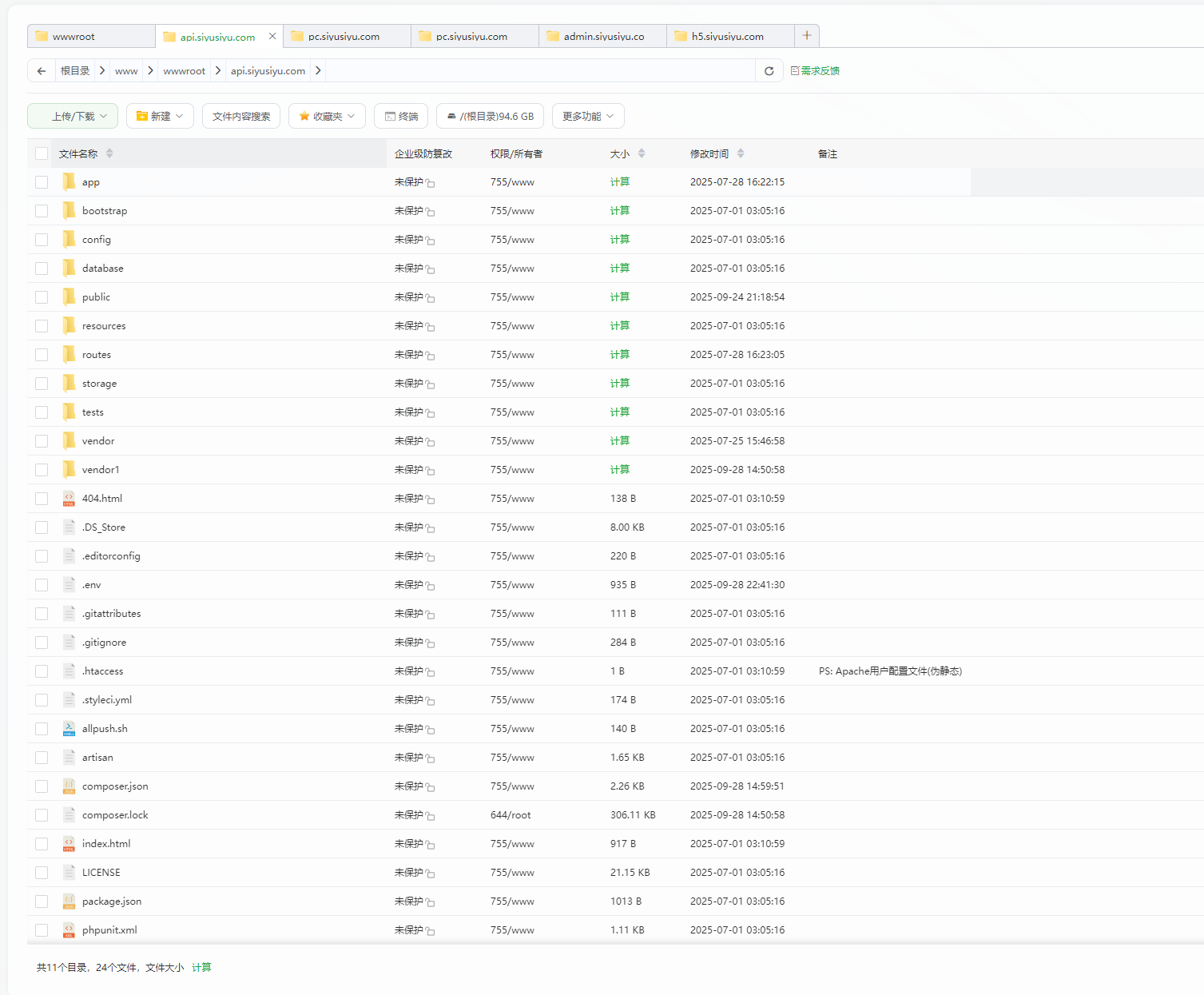
2. 查看并复制公钥
cat ~/.ssh/id_rsa.pub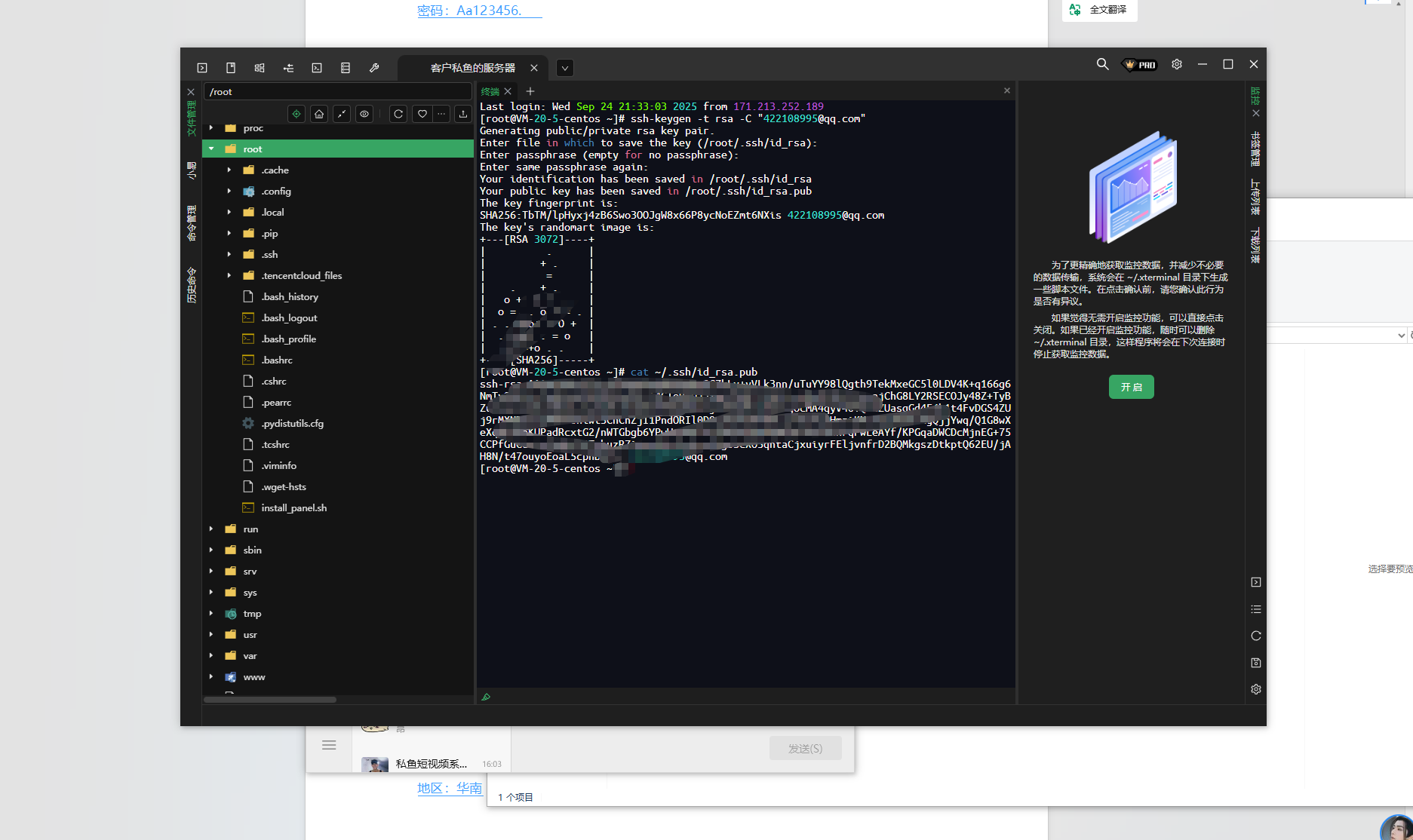
3. 在Gitee添加公钥
- 登录Gitee → 个人设置 → SSH公钥
- 粘贴公钥内容,添加标题
第二步:初始化Git仓库并关联远程仓库
1. 进入项目目录
cd /www/wwwroot/api.siyusiyu.com2. 初始化Git仓库
git init这里如果提示:
git init -bash: git: command not found
如何处理请看这篇关于标题文章
宝塔服务器面板部署安装git通过第三方应用安装收费怎么办—bash: git: command not found解决方案-优雅草卓伊凡
3. 配置用户信息
git config user.name "Your Name"
git config user.email "your_email@example.com"
提示 hint: Using ‘master’ as the name for the initial branch. This default branch name hint: is subject to change. To configure the initial branch name to use in all hint: of your new repositories, which will suppress this warning, call: hint: hint: git config —global init.defaultBranch <name> hint: hint: Names commonly chosen instead of ‘master’ are ‘main’, ‘trunk’ and hint: ‘development’. The just-created branch can be renamed via this command: hint: hint: git branch -m <name>
提示这个,但是可以不用管
这不是一个错误(Error),而是一个提示(Hint/Warning)。这是 Git 在新版本中为了更加友好和包容而引入的提示信息。
提示信息解释
这个提示告诉您:
- Git 使用
master作为新仓库的默认分支名称 - 这个默认分支名称将来可能会改变
- Git 建议您配置一个不同的初始分支名称
解决方案
您有以下几种处理方式:
方案一:配置全局默认分支(推荐)
设置一个您喜欢的默认分支名称,这样以后创建新仓库时就不会再有这个提示了。
设置默认分支为 main(目前最流行的选择):
git config --global init.defaultBranch main或者设置为其他名称:
# 设置为 development
git config --global init.defaultBranch development

# 设置为 trunk
git config --global init.defaultBranch trunk

# 设置为 primary
git config --global init.defaultBranch primary
方案二:重命名当前仓库的分支
如果您已经创建了仓库,可以立即重命名分支:
# 将当前分支从 master 重命名为 main
git branch -m main

# 或者重命名为其他名称
git branch -m development
方案三:忽略提示(不推荐)
您也可以选择完全忽略这个提示,继续使用 master 作为分支名称。Git 仍然会正常工作,只是每次创建新仓库时都会显示这个提示。
完整操作示例
如果您想一劳永逸地解决这个问题,建议按以下步骤操作:
- 设置全局默认分支:
git config --global init.defaultBranch main- 验证配置是否生效:
git config --global init.defaultBranch这会显示您设置的默认分支名称。
- 重新初始化 Git 仓库(如果需要):
# 删除原来的 .git 文件夹
rm -rf .git

# 重新初始化
git init- 或者重命名现有分支:
# 如果您想保留之前的初始化,只需重命名分支
git branch -m main
为什么会有这个提示?
近年来,科技行业开始重新审视一些可能带有负面历史含义的术语。master 分支的名称被认为可能引用历史上的主奴关系,因此许多项目和公司(包括 GitHub)已经将默认分支从 master 改为 main。
总结
- 这不是错误,只是一个友好的提示
- 推荐解决方案:执行
git config --global init.defaultBranch main - 这个配置只需要设置一次,对所有新仓库都有效
- 设置完成后,以后执行
git init就不会再看到这个提示了
4. 添加远程仓库地址
git remote add origin https://gitee.com/youyacao/siyu-api.git或者使用SSH方式(推荐):
git remote add origin git@gitee.com:youyacao/siyu-api.git第三步:提交服务器代码到Gitee
1. 添加所有文件到暂存区
git add .2. 提交更改
git commit -m "初始提交:从服务器同步最新代码"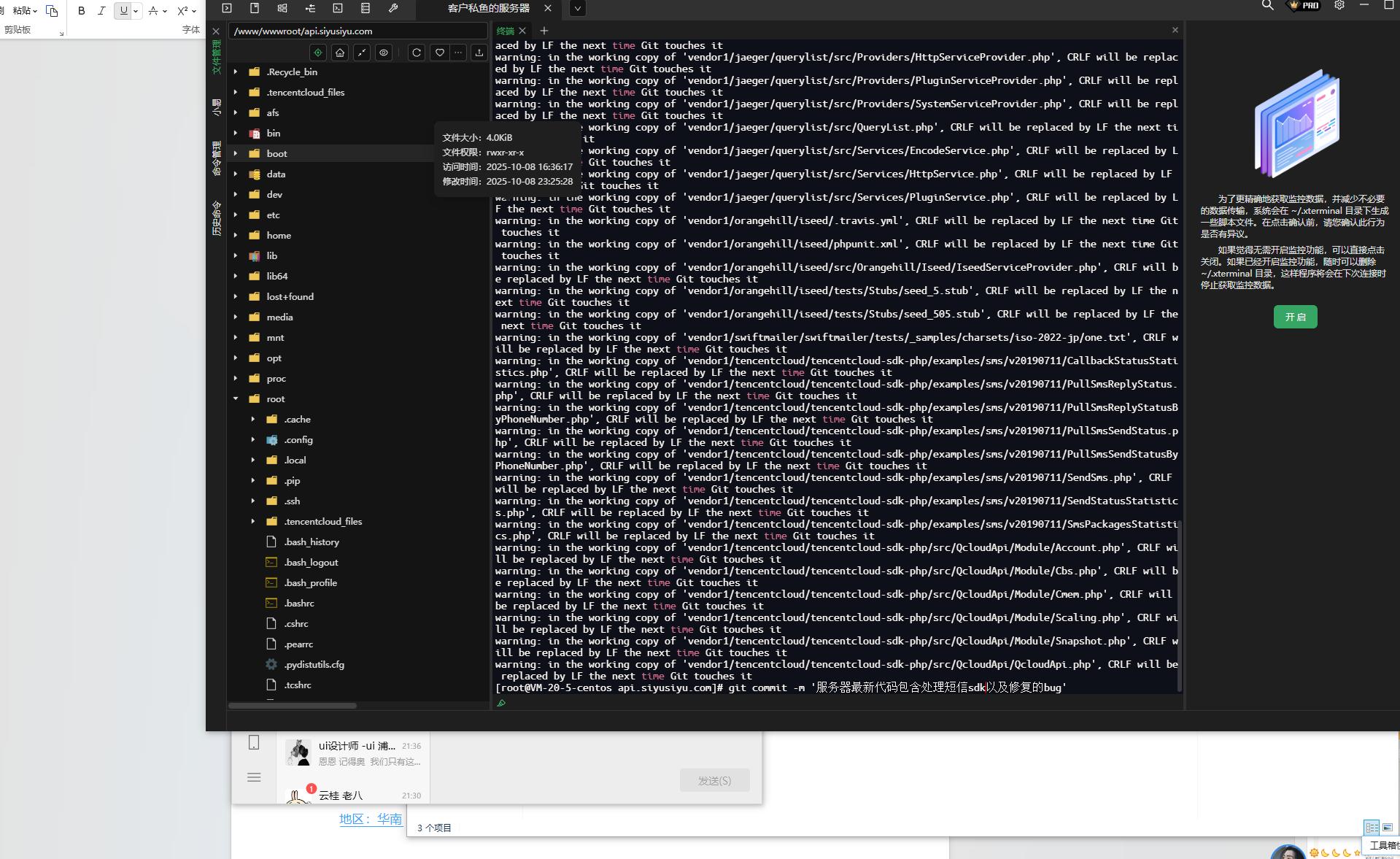
3. 拉取远程仓库内容(处理可能的冲突)
git pull origin master --allow-unrelated-histories
# 或者如果远程仓库是main分支:
# git pull origin main --allow-unrelated-histories
4. 推送代码到Gitee
git push -u origin master
# 或者如果远程仓库是main分支:
# git push -u origin main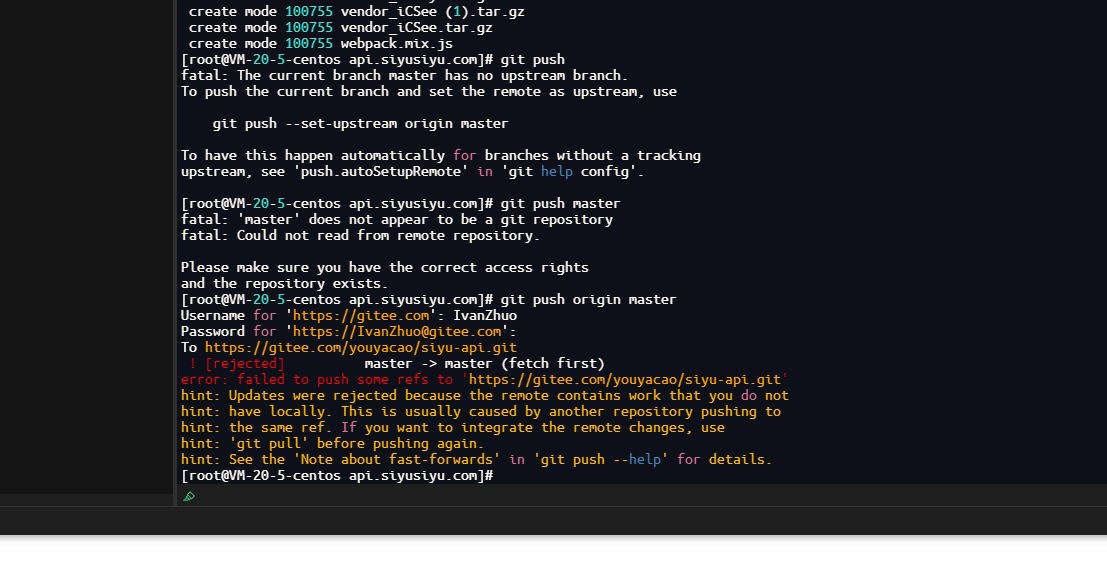
完全没问题了,解决了,不过我们遇到新的问题 这个就不属于本文的问题了
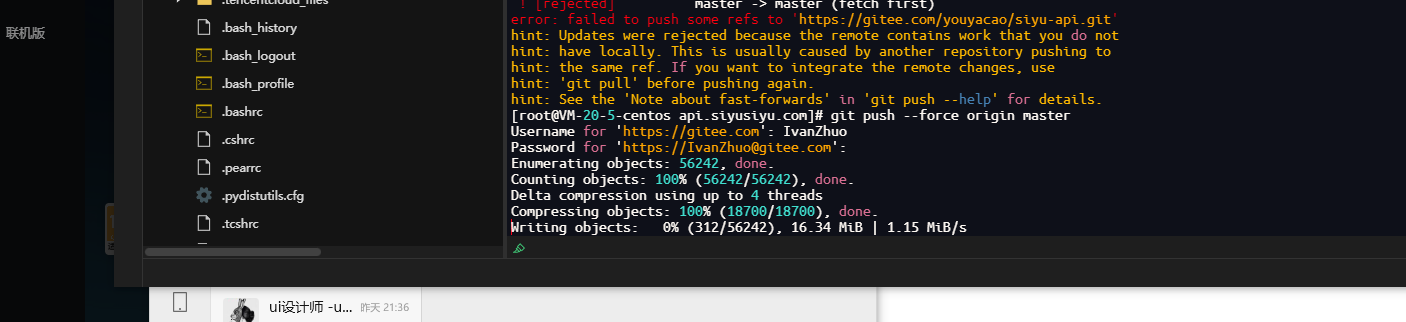
To https://gitee.com/youyacao/siyu-api.git ! [rejected] master -> master (fetch first) error: failed to push some refs to ‘https://gitee.com/youyacao/siyu-api.git‘ hint: Updates were rejected because the remote contains work that you do not hint: have locally. This is usually caused by another repository pushing to hint: the same ref. If you want to integrate the remote changes, use hint: ‘git pull’ before pushing again. hint: See the ‘Note about fast-forwards’ in ‘git push —help’ for details.
也就是仓库的代码没有先拉 ,但是我要强制推送 服务器的内容至远程仓库
其实也很简单,直接强推即可
git push —force origin master
如果遇到冲突的解决方案
查看冲突文件
git status手动解决冲突后
git add .
git commit -m "解决合并冲突"
git push origin master
第四步:验证设置
1. 检查远程仓库配置
git remote -v2. 检查分支情况
git branch -a常用Git命令备忘
# 查看当前状态
git status

# 查看提交历史
git log --oneline

# 查看文件更改
git diff

# 强制推送(谨慎使用)
git push -f origin master
注意事项
- 备份重要数据:在操作前建议备份重要代码
- 分支名称:确认Gitee仓库默认分支是master还是main
- 忽略文件:建议创建
.gitignore文件忽略不必要的文件 - 权限问题:确保有对Gitee仓库的写入权限
创建.gitignore文件示例
# 创建.gitignore
cat > .gitignore << EOF
# 依赖目录
node_modules/
vendor/

# 配置文件
.env
config/database.php

# 日志文件
*.log
storage/logs/

# 系统文件
.DS_Store
Thumbs.db

# IDE文件
.idea/
.vscode/
*.swp
*.swo
EOF
完成以上步骤后,服务器代码就会成功同步到Gitee仓库了。之后可以通过常规的git pull和git push命令来保持代码同步。
原创声明:本文系作者授权腾讯云开发者社区发表,未经许可,不得转载。
如有侵权,请联系 cloudcommunity@tencent.com 删除。
原创声明:本文系作者授权腾讯云开发者社区发表,未经许可,不得转载。
如有侵权,请联系 cloudcommunity@tencent.com 删除。
评论
登录后参与评论
推荐阅读
目录
腾讯云开发者

Copyright © 2013 - 2026 Tencent Cloud. All Rights Reserved. 腾讯云 版权所有
深圳市腾讯计算机系统有限公司 ICP备案/许可证号:粤B2-20090059  粤公网安备44030502008569号
腾讯云计算(北京)有限责任公司 京ICP证150476号 | 京ICP备11018762号