Power BI 表格搜索框折叠


Power BI 表格默认如下:
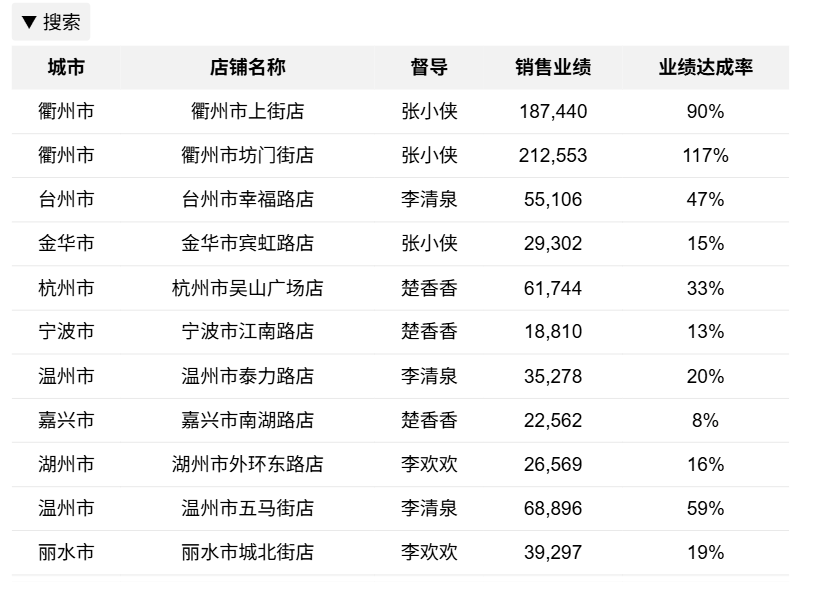
点击左上角的按钮可以展开搜索框,搜索框输入任意文字可对表格全局搜索,再次点击按钮可以隐藏搜索框:
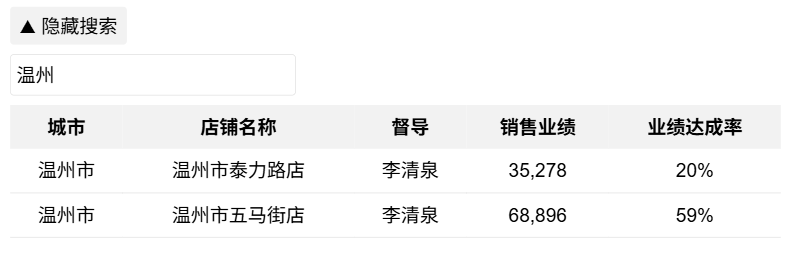
Power BI 内置表格无此交互功能,使用DAX结合HTML可以实现。新建度量值:
HTML表格.全局搜索=
VARt =
ADDCOLUMNS (
'维度表',
"销售业绩", FORMAT ( [M.销售业绩], "#,#" ),
"业绩达成率", FORMAT ( [M.业绩达成率], "0%" )
)
VARHTML_Text =
CONCATENATEX (
t,
"<tr><td>" & [城市] & "</td><td>" & [店铺名称] & "</td><td>" & [督导] & "</td><td>" & [销售业绩] & "</td><td>" & [业绩达成率] & "</td><tr>"
)
RETURN"
<head>
<style>
table {
font-family: Arial, sans-serif;
border-collapse: collapse;
width: 100%;
}
th {
background-color: #f2f2f2;
text-align: center;
padding: 8px;
}
td {
padding: 8px;
border-bottom: 1px solid #ddd;
text-align: center;
}
.search-container {
margin-bottom: 10px;
transition: all 0.3s ease;
overflow: hidden;
}
#searchInput {
padding: 6px;
width: 300px;
border: 1px solid #ddd;
border-radius: 4px;
margin-top: 5px;
}
.toggle-search {
background: #f2f2f2;
padding: 5px 10px;
border-radius: 4px;
cursor: pointer;
display: inline-block;
margin-bottom: 5px;
}
.toggle-search:hover {
background: #e6e6e6;
}
.hidden {
height: 0;
margin-bottom: 0;
}
</style>
</head>
<body>
<div class='toggle-search' onclick='toggleSearch()'>▼ 搜索</div>
<div class='search-container hidden' id='searchContainer'>
<input type='text' id='searchInput' placeholder='全局实时搜索...' onkeyup='searchTable()'>
</div>
<table id='dataTable'>
<tr>
<th>城市</th>
<th>店铺名称</th>
<th>督导</th>
<th>销售业绩</th>
<th>业绩达成率</th>
</tr>" &
HTML_Text & "
</table>
<script>
function searchTable() {
var input, filter, table, tr, td, i, j, txtValue, found;
input = document.getElementById('searchInput');
filter = input.value.toUpperCase();
table = document.getElementById('dataTable');
tr = table.getElementsByTagName('tr');
for (i = 1; i < tr.length; i++) {
found = false;
td = tr[i].getElementsByTagName('td');
// 公众号wujunmin
for (j = 0; j < td.length; j++) {
if (td[j]) {
txtValue = td[j].textContent || td[j].innerText;
if (txtValue.toUpperCase().indexOf(filter) > -1) {
found = true;
break;
}
}
}
tr[i].style.display = found ? '' : 'none';
}
}
function toggleSearch() {
var container = document.getElementById('searchContainer');
var toggleBtn = document.querySelector('.toggle-search');
if (container.classList.contains('hidden')) {
container.classList.remove('hidden');
toggleBtn.innerHTML = '▲ 隐藏搜索';
} else {
container.classList.add('hidden');
toggleBtn.innerHTML = '▼ 搜索';
}
}
</script>
</body>"
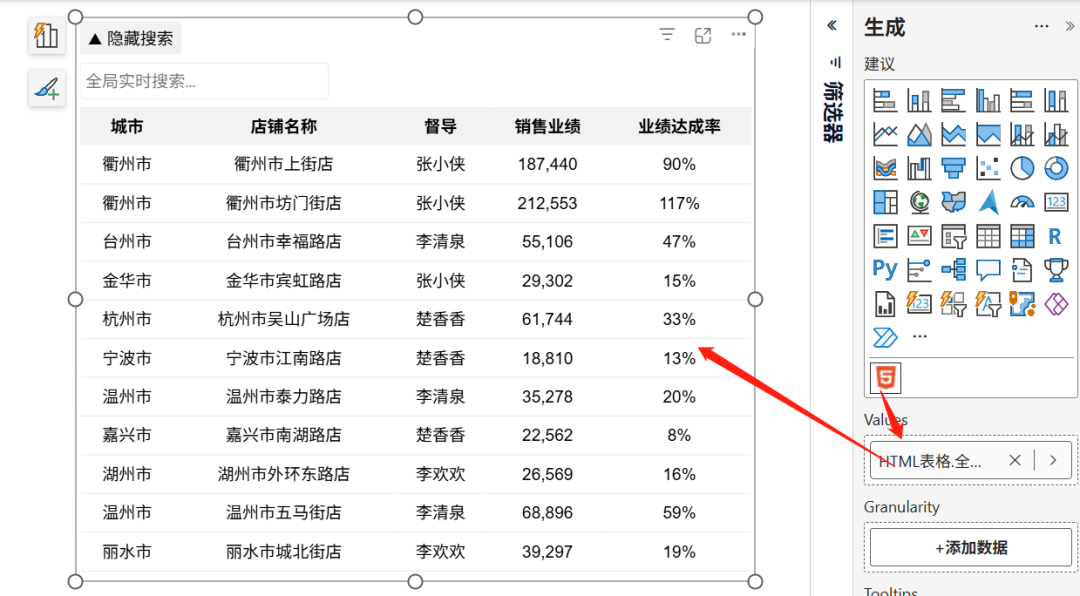
度量值中的维度、指标替换为你模型中的数据,放入HTML Content视觉对象即完成。
本文参与 腾讯云自媒体同步曝光计划,分享自微信公众号。
原始发表:2025-08-09,如有侵权请联系 cloudcommunity@tencent.com 删除
腾讯云开发者

Copyright © 2013 - 2026 Tencent Cloud. All Rights Reserved. 腾讯云 版权所有
深圳市腾讯计算机系统有限公司 ICP备案/许可证号:粤B2-20090059  粤公网安备44030502008569号
腾讯云计算(北京)有限责任公司 京ICP证150476号 | 京ICP备11018762号