Godot-游戏显示信息
原创

游戏主界面
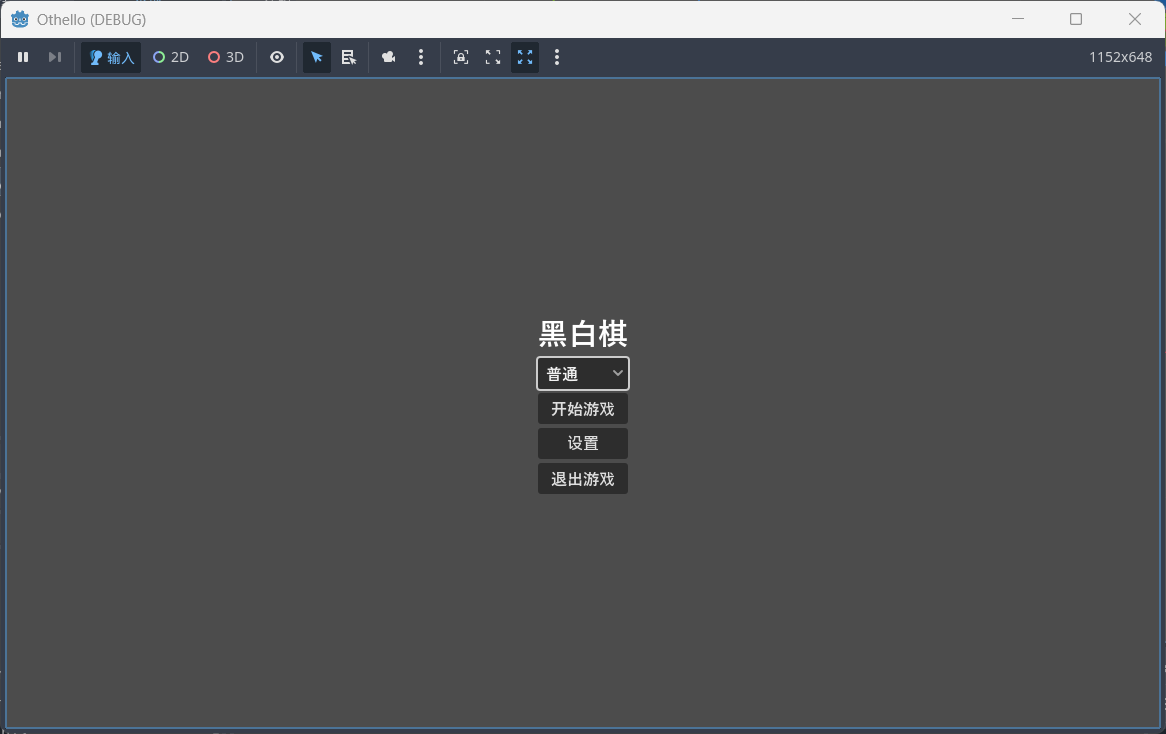
创建场景StartScene.tscn作为游戏的开始界面,分别显示游戏名称,游戏难度,开始游戏,设置,退出游戏,点击开始游戏进入游戏主场景,进行游戏。
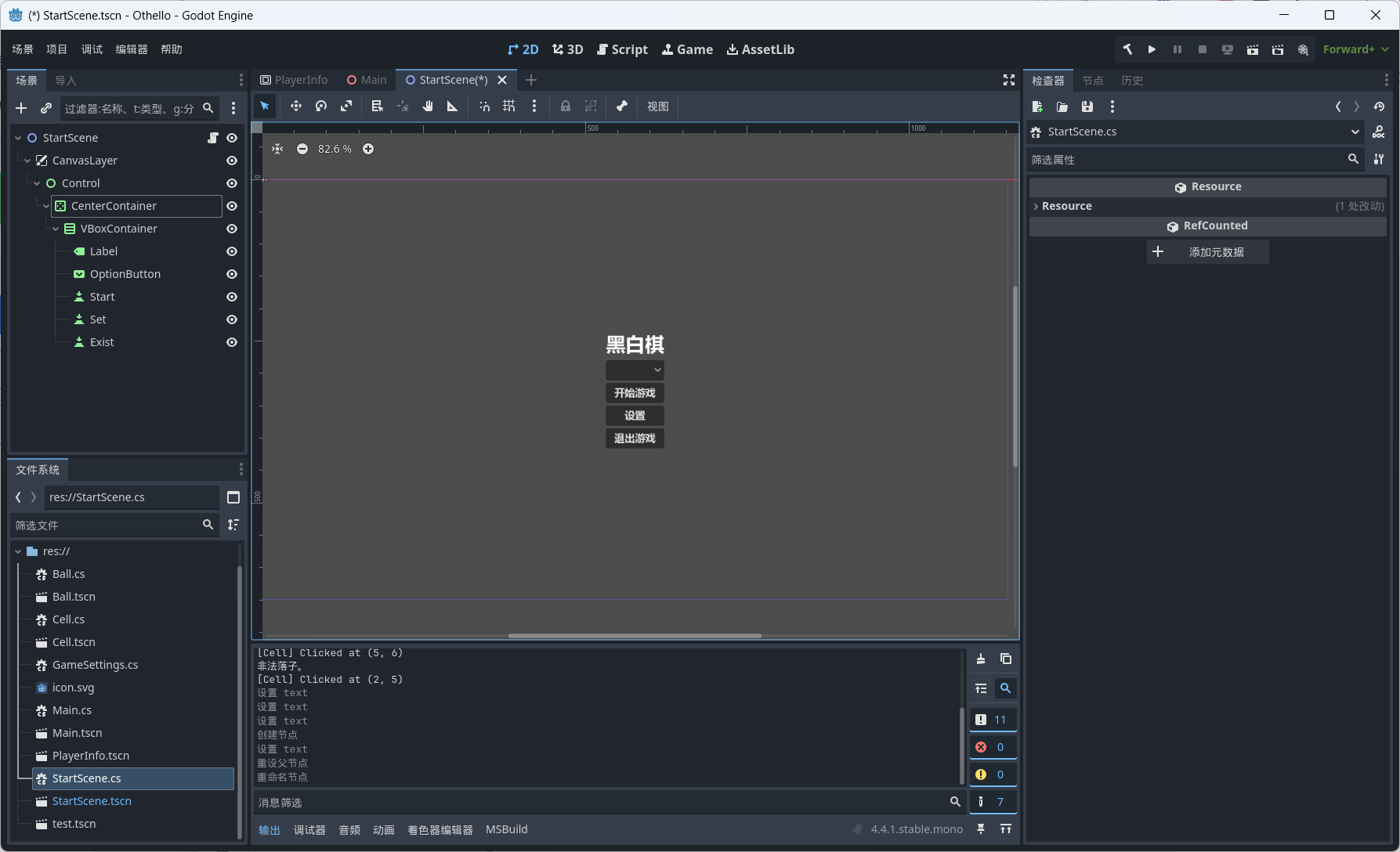
游戏脚本参考如下:
using Godot;
using Othello;
using System;

public partial class StartScene : Node2D
{
    private OptionButton difficultySelector;
    private Button startButton;
    private Button existButton;

    public override void _Ready()
    {
        difficultySelector = GetNode<OptionButton>("CanvasLayer/Control/CenterContainer/VBoxContainer/OptionButton");
        startButton = GetNode<Button>("CanvasLayer/Control/CenterContainer/VBoxContainer/Start");
        existButton = GetNode<Button>("CanvasLayer/Control/CenterContainer/VBoxContainer/Exist");
        startButton.Pressed += OnStartPressed;
        existButton.Pressed += OnExistPressed;
    }

    private void OnExistPressed()
    {
        GetTree().Quit();
    }

    private void OnStartPressed()
    {
        // 获取选择的难度
        int selected = difficultySelector.Selected;
        int depth = selected switch
        {
            0 => 1, // 简单
            1 => 3, // 普通
            2 => 5, // 困难
            _ => 2,
        };
        // 存入全局变量(推荐用 Autoload)
        GameSettings.AIDepth = depth;
        // 切换到主场景
        GetTree().ChangeSceneToFile("res://Main.tscn");
    }
}
创建游戏玩家信息
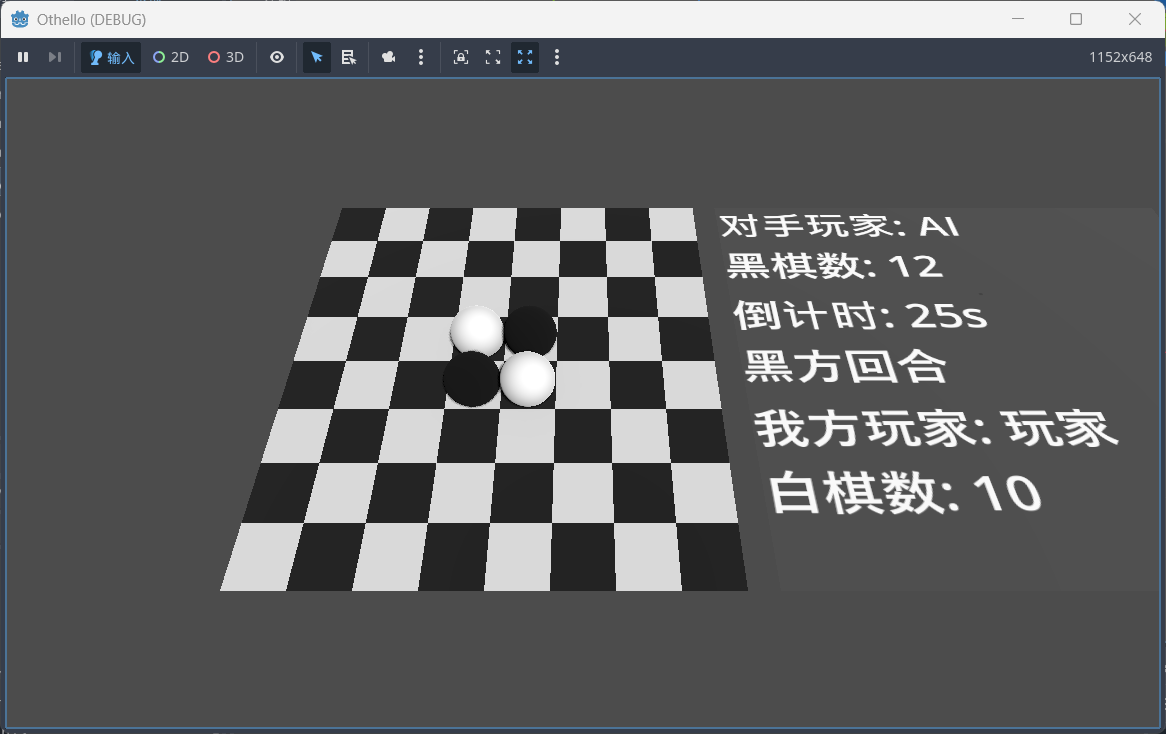
创建玩家信息场景PlayerInfo.tscn,使用SubViewPort作为根节点,以便能够嵌套入游戏主场景中。该场景分别显示对手信息,玩家信息,倒计时,当前回合,参考场景设置如下:
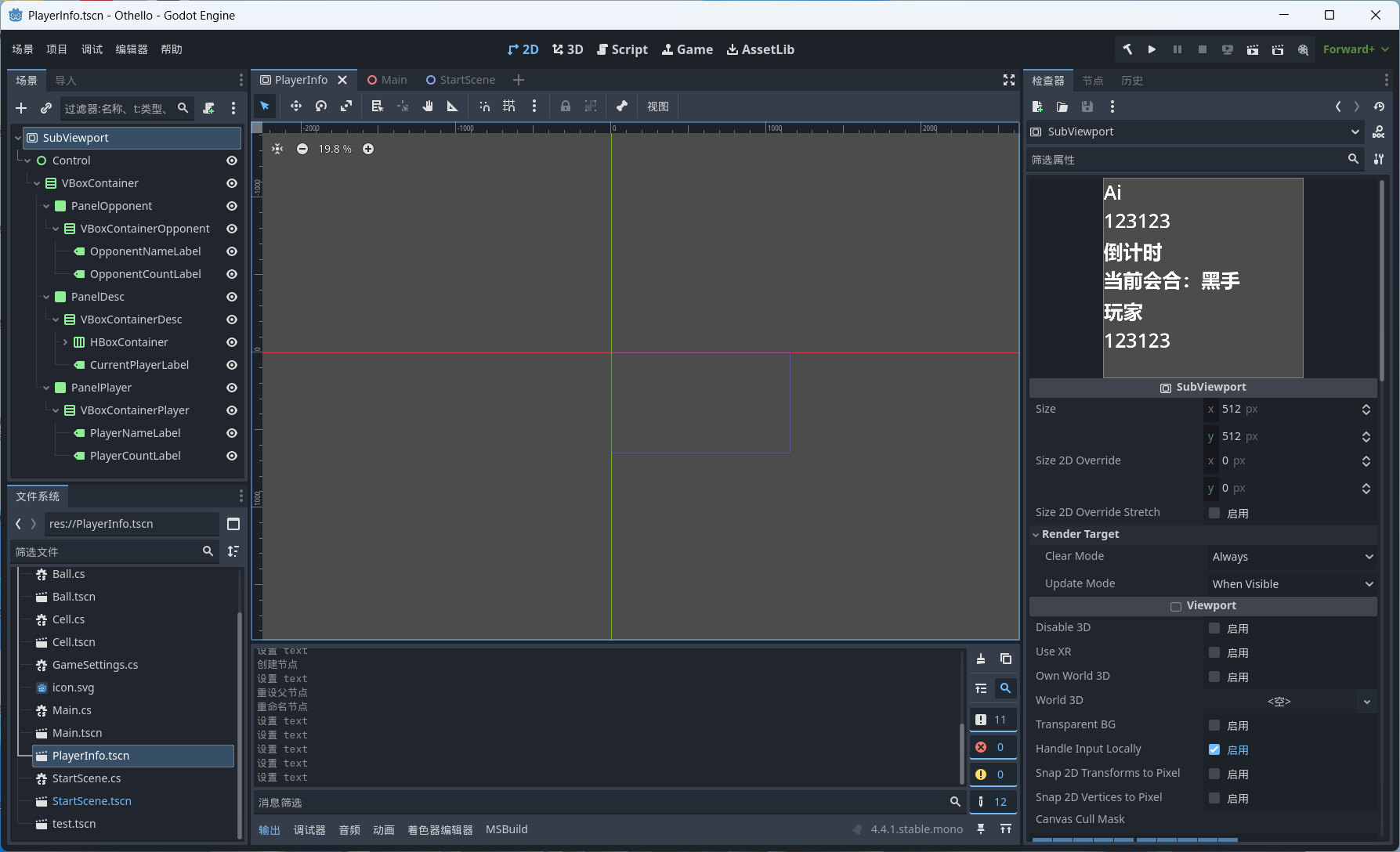
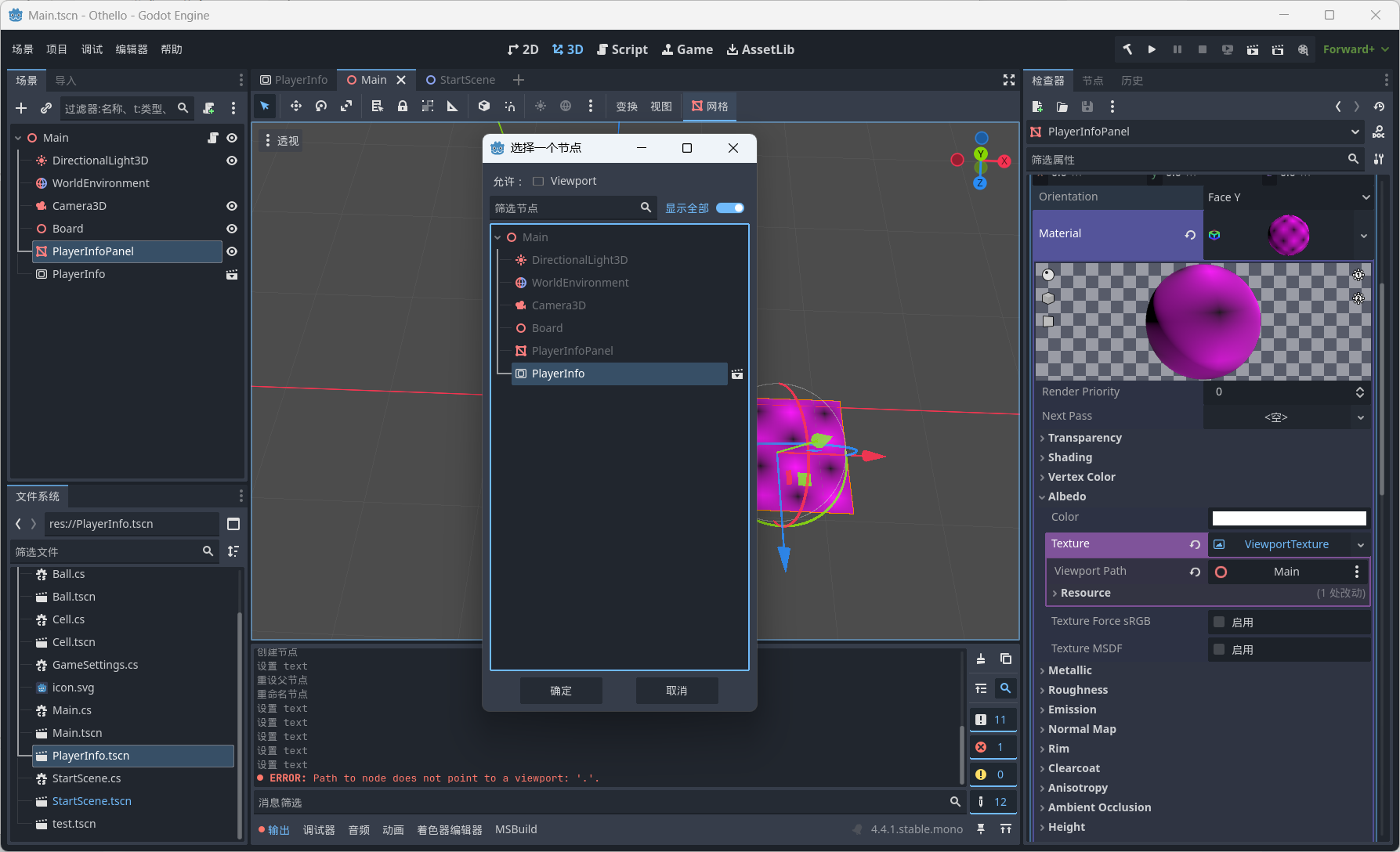
在主场景中创建PlayerInfoPanel(MeshInstance3D)用来承载游戏玩家信息显示,创建SubViewport一个实例化场景PlayerInfo。
PlayerInfoPanel→Mesh:PlaneMesh;
Mesh→Material:StandardMaterial3D;
StandardMaterial3D→Resource→Local to Scene 启用;
StandardMaterial3D→Albedo→Texture:ViewportTexture;
ViewportTexture→Viewport Path:PlayerInfo。
在Main.cs中实现游戏信息显示的逻辑,参考代码如下:
private Label opponentNameLabel;
private Label opponentCountLabel;
private Label playerNameLabel;
private Label playerCountLabel;
private Label countdownLabel;
private Label currentPlayerLabel;

private int countdownSeconds = 30;
private Timer countdownTimer;

/// <summary>
/// 初始化玩家信息
/// </summary>
private void InitPlayerInfo()
{
    // 获取 UI 面板节点
    var infoPanel = GetNode<MeshInstance3D>("PlayerInfoPanel");
    var playerInfo = GetNode<SubViewport>("PlayerInfo");

    opponentNameLabel = playerInfo.GetNode<Label>("Control/VBoxContainer/PanelOpponent/VBoxContainerOpponent/OpponentNameLabel");
    opponentCountLabel = playerInfo.GetNode<Label>("Control/VBoxContainer/PanelOpponent/VBoxContainerOpponent/OpponentCountLabel");

    playerNameLabel = playerInfo.GetNode<Label>("Control/VBoxContainer/PanelPlayer/VBoxContainerPlayer/PlayerNameLabel");
    playerCountLabel = playerInfo.GetNode<Label>("Control/VBoxContainer/PanelPlayer/VBoxContainerPlayer/PlayerCountLabel");

    countdownLabel = playerInfo.GetNode<Label>("Control/VBoxContainer/PanelDesc/VBoxContainerDesc/HBoxContainer/CountdownLabel");
    currentPlayerLabel = playerInfo.GetNode<Label>("Control/VBoxContainer/PanelDesc/VBoxContainerDesc/CurrentPlayerLabel");

    countdownTimer = new Timer();
    AddChild(countdownTimer);
    countdownTimer.WaitTime = 1.0f;
    countdownTimer.OneShot = false;
    countdownTimer.Timeout += OnCountdownTimeout;
    countdownTimer.Start();

    UpdatePlayerInfo();
    UpdateCountdownLabel();
}

private void UpdatePlayerInfo()
{
    opponentNameLabel.Text = "对手玩家: AI";
    opponentCountLabel.Text = "黑棋数: 12";

    playerNameLabel.Text = "我方玩家: 玩家";
    playerCountLabel.Text = "白棋数: 10";

    currentPlayerLabel.Text = currentPlayer == Piece.Black ? "黑方回合" : "白方回合";
}
private void UpdateCountdownLabel()
{
    countdownLabel.Text = $"倒计时: {countdownSeconds}s";
}
private void OnCountdownTimeout()
{
    countdownSeconds--;
    if (countdownSeconds <= 0)
    {
        //countdownTimer.Stop();
        countdownLabel.Text = "时间到!";
        // 触发超时逻辑,比如换对方走
        currentPlayer = currentPlayer == Piece.Black ? Piece.White : Piece.Black;
        countdownSeconds = 30;
        UpdatePlayerInfo();
    }
    else
    {
        UpdateCountdownLabel();
    }
}
演示
原创声明:本文系作者授权腾讯云开发者社区发表,未经许可,不得转载。
如有侵权,请联系 cloudcommunity@tencent.com 删除。
目录
腾讯云开发者

Copyright © 2013 - 2026 Tencent Cloud. All Rights Reserved. 腾讯云 版权所有
深圳市腾讯计算机系统有限公司 ICP备案/许可证号:粤B2-20090059  粤公网安备44030502008569号
腾讯云计算(北京)有限责任公司 京ICP证150476号 | 京ICP备11018762号