anylabeling使用和安装

anylabeling使用和安装

git clone firc-dataset
发布于 2025-07-20 14:58:44
发布于 2025-07-20 14:58:44
源码地址:
git clone https://github.com/vietanhdev/anylabeling.git
Auto Labeling with Segment Anything
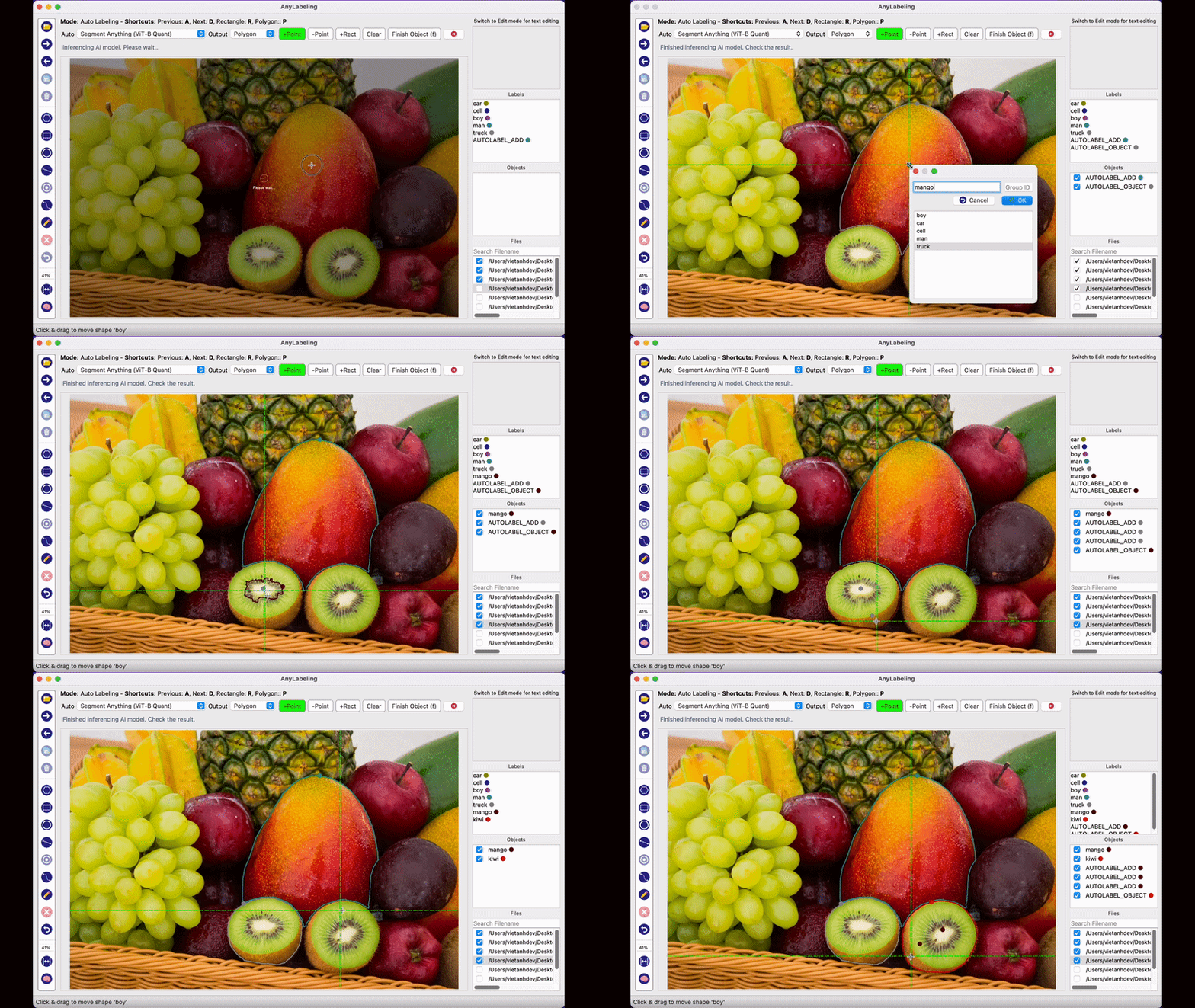
AnyLabeling-SegmentAnything
- Youtube Demo: https://www.youtube.com/watch?v=5qVJiYNX5Kk
- Documentation: https://anylabeling.nrl.ai
Features:
- Image annotation for polygon, rectangle, circle, line and point.
- Auto-labeling with YOLOv5 and Segment Anything.
- Text detection, recognition and KIE (Key Information Extraction) labeling.
- Multiple languages availables: English, Vietnamese, Chinese.
I. Install and run
1. Download and run executable
- Download and run newest version from Releases.
- For MacOS:
- After installing, go to Applications folder
- Right click on the app and select Open
- From the second time, you can open the app normally using Launchpad
2. Install from Pypi
- Requirements: Python >= 3.8, <= 3.10.
- Recommended: Miniconda/Anaconda.
- Create environment:
conda create -n anylabeling python=3.8
conda activate anylabeling- (For macOS only) Install PyQt5 using Conda:
conda install -c conda-forge pyqt==5.15.7- Install anylabeling:
pip install anylabeling # or pip install anylabeling-gpu for GPU support- Start labeling:
anylabelingII. Development
- Generate resources:
pyrcc5 -o anylabeling/resources/resources.py anylabeling/resources/resources.qrc- Run app:
python anylabeling/app.pyIII. Build executable
- Install PyInstaller:
pip install -r requirements-dev.txt- Build:
bash build_executable.sh- Check the outputs in:
dist/.
本文参与 腾讯云自媒体同步曝光计划,分享自作者个人站点/博客。
原始发表:2025-07-17,如有侵权请联系 cloudcommunity@tencent.com 删除
目录
腾讯云开发者

Copyright © 2013 - 2026 Tencent Cloud. All Rights Reserved. 腾讯云 版权所有
深圳市腾讯计算机系统有限公司 ICP备案/许可证号:粤B2-20090059  粤公网安备44030502008569号
腾讯云计算(北京)有限责任公司 京ICP证150476号 | 京ICP备11018762号