155.HarmonyOS NEXT系列教程之3D立方体旋转轮播案例讲解之滚动效果和动画
原创
155.HarmonyOS NEXT系列教程之3D立方体旋转轮播案例讲解之滚动效果和动画
原创
全栈若城
发布于 2025-03-19 23:36:55
发布于 2025-03-19 23:36:55
温馨提示:本篇博客的详细代码已发布到 git : https://gitcode.com/nutpi/HarmonyosNext 可以下载运行哦!
HarmonyOS NEXT系列教程之3D立方体旋转轮播案例讲解之滚动效果和动画
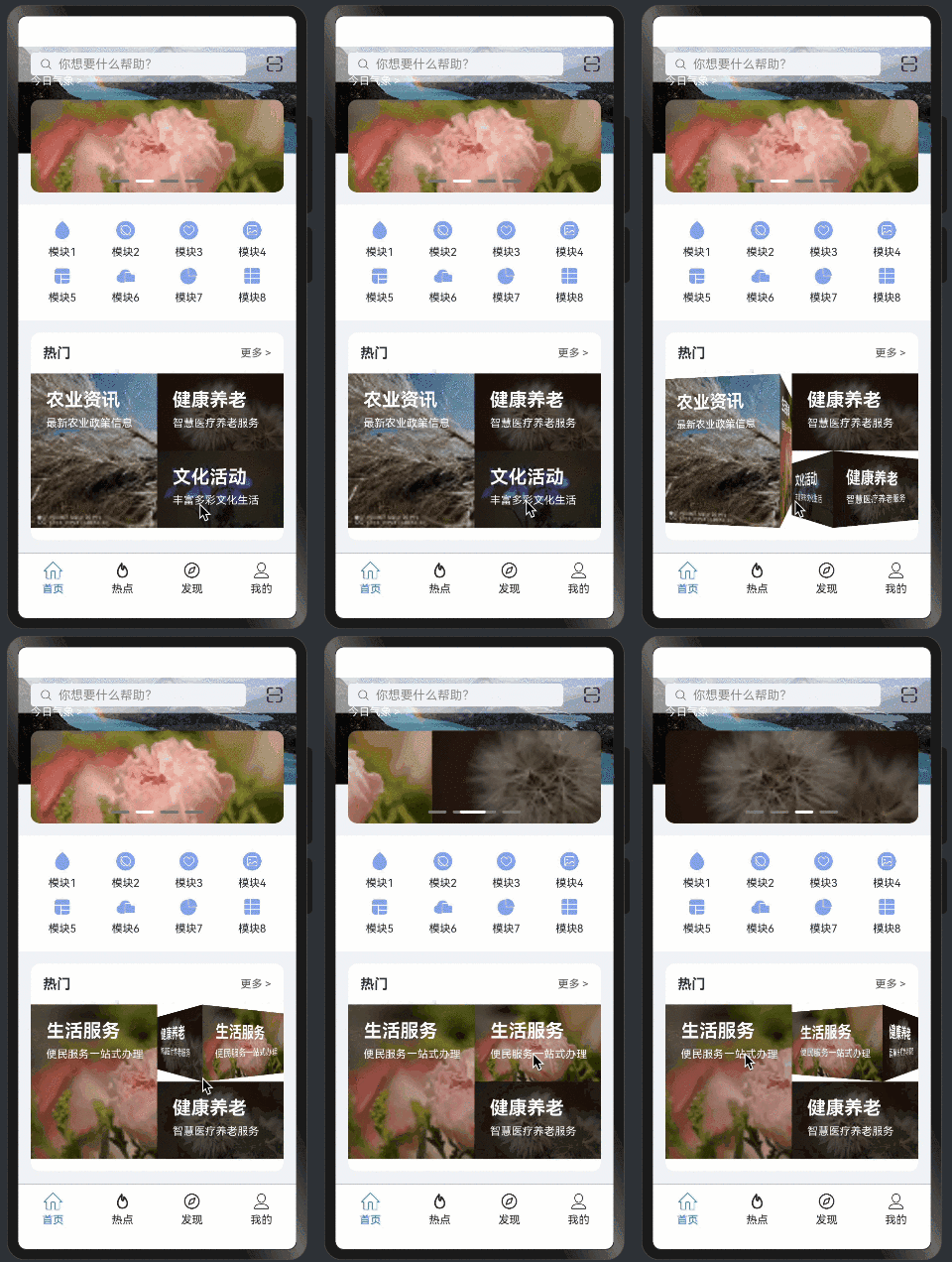
效果演示
1. 滚动系统设计
1.1 滚动控制器
private scroller: Scroller = new Scroller();

Scroll(this.scroller) {
    Column() {
        // 滚动内容
    }
}
1.2 滚动监听
.onWillScroll(() => {
    let yOffset = this.scroller.currentOffset().yOffset;
    this.headerOpacity = Math.min(1, yOffset / 100);
})
2. 动画效果实现
2.1 3D旋转动画
customContentTransition({
    timeout: 1000,
    transition: (proxy: SwiperContentTransitionProxy) => {
        let angle = proxy.position * 90;
        this.angleList[proxy.index] = angle;
        this.centerXList[proxy.index] = proxy.position < 0 ? '100%' : '0%';
    }
})
2.2 Tab切换动画
.onAnimationStart((index: number, targetIndex: number, event: TabsAnimationEvent) => {
    if (index === targetIndex) {
        return;
    }
    this.currentIndex = targetIndex;
})
3. 透明度过渡
3.1 搜索栏透明度
.backgroundColor(`rgba(255, 255, 255, ${this.headerOpacity})`)

// 图标颜色切换
Image(this.headerOpacity < 0.5 ?
    $r('app.media.cube_animation_scan_white') :
    $r('app.media.cube_animation_scan_black'))
3.2 透明度计算
this.headerOpacity = Math.min(1, yOffset / 100);4. 轮播动画
4.1 Banner轮播
Swiper(this.swiperController) {
    ForEach(this.bannerItems, (item: Resource) => {
        Image(item)
    })
}
.autoPlay(true)
.indicator(new DotIndicator())
4.2 3D轮播
CubeRotateAnimationSwiper({
    items: item,
    cubeSwiperController: this.cubeSwiperControllers[index],
    swiperItemSlotParam: (item: MySwiperItem) => {
        this.mySwiperItem(item);
    }
})
5. 动画参数配置
5.1 时间控制
// 3D轮播超时设置
timeout: 1000,

// Tab切换动画
.barAnimationDuration(300)
5.2 动画曲线
.curve(Curve.EaseInOut)
.duration(this.duration)
6. 性能优化
6.1 动画优化
- 使用硬件加速
- 避免频繁更新
- 优化计算逻辑
6.2 滚动优化
- 滚动防抖
- 延迟加载
- 内存管理
7. 交互体验
7.1 滚动体验
- 平滑的滚动效果
- 及时的视觉反馈
- 合理的滚动阻尼
7.2 动画体验
- 流畅的过渡效果
- 自然的动画曲线
- 适当的动画时长
8. 最佳实践
8.1 动画处理
- 合理使用硬件加速
- 避免动画冲突
- 优化性能消耗
- 处理边界情况
8.2 滚动处理
- 优化滚动性能
- 处理滚动边界
- 合理的刷新策略
- 内存优化
9. 小结
本篇教程详细介绍了:
- 滚动系统的实现
- 动画效果的处理
- 透明度过渡的实现
- 性能优化策略
- 交互体验优化
下一篇将介绍事件处理机制的实现细节。
原创声明:本文系作者授权腾讯云开发者社区发表,未经许可,不得转载。
如有侵权,请联系 cloudcommunity@tencent.com 删除。
目录
腾讯云开发者

Copyright © 2013 - 2026 Tencent Cloud. All Rights Reserved. 腾讯云 版权所有
深圳市腾讯计算机系统有限公司 ICP备案/许可证号:粤B2-20090059  粤公网安备44030502008569号
腾讯云计算(北京)有限责任公司 京ICP证150476号 | 京ICP备11018762号