133.HarmonyOS NEXT系列教程之3D立方体旋转轮播案例讲解(四):MySwiperItem类实现
原创
133.HarmonyOS NEXT系列教程之3D立方体旋转轮播案例讲解(四):MySwiperItem类实现
原创
全栈若城
发布于 2025-03-18 22:44:55
发布于 2025-03-18 22:44:55
温馨提示:本篇博客的详细代码已发布到 git : https://gitcode.com/nutpi/HarmonyosNext 可以下载运行哦!
HarmonyOS NEXT系列教程之3D立方体旋转轮播案例讲解(四):MySwiperItem类实现
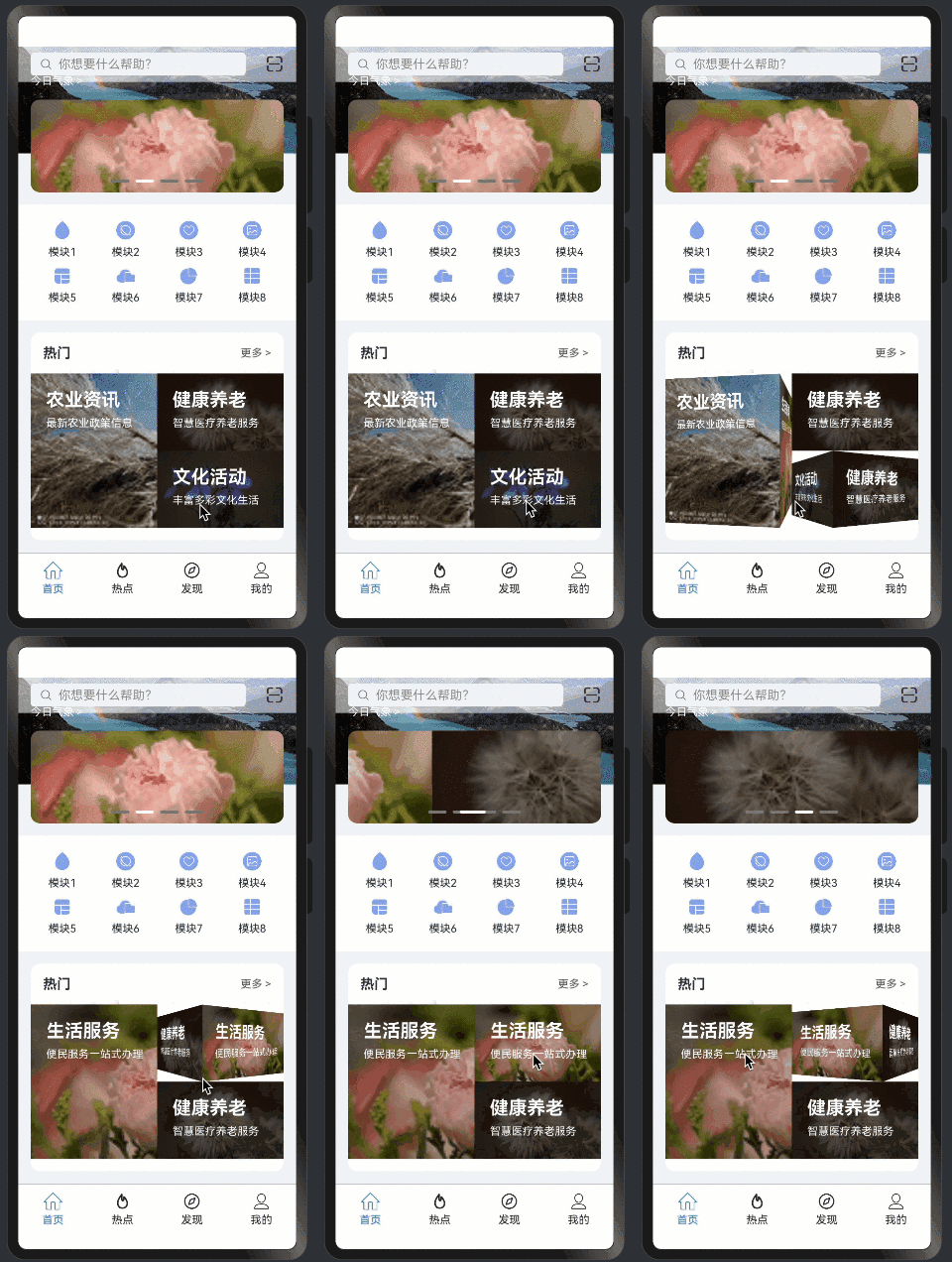
效果演示
1. MySwiperItem类概述
1.1 类定义
export class MySwiperItem {
    title: string;
    subTitle: string;
    image: Resource;

    constructor(title: string, subTitle: string, image: Resource) {
        this.title = title;
        this.subTitle = subTitle;
        this.image = image;
    }
}
1.2 类的职责
- 封装轮播项数据
- 提供数据初始化方法
- 确保数据完整性
2. 属性详解
2.1 title属性
title: string;- 类型:字符串
- 用途:显示轮播项的主标题
- 特点:必填项
2.2 subTitle属性
subTitle: string;- 类型:字符串
- 用途:显示轮播项的副标题
- 特点:支持补充说明
2.3 image属性
image: Resource;- 类型:Resource
- 用途:轮播项的图片资源
- 特点:支持应用资源引用
3. 构造函数实现
3.1 构造函数定义
constructor(title: string, subTitle: string, image: Resource) {
    this.title = title;
    this.subTitle = subTitle;
    this.image = image;
}
3.2 参数说明
- title:主标题字符串
- subTitle:副标题字符串
- image:图片资源引用
3.3 使用示例
const swiperItem = new MySwiperItem(
    "主标题",
    "副标题说明",
    $r('app.media.banner_image')
);
4. 实践应用
4.1 创建轮播项数组
const swiperItems: MySwiperItem[] = [
    new MySwiperItem(
        "第一项",
        "第一项描述",
        $r('app.media.image1')
    ),
    new MySwiperItem(
        "第二项",
        "第二项描述",
        $r('app.media.image2')
    )
];
4.2 与控制器结合使用
const controller = new CubeSwiperController();

// 设置轮播数据
controller.setData(swiperItems);

// 添加新的轮播项
controller.pushData(new MySwiperItem(
    "新项目",
    "新项目描述",
    $r('app.media.new_image')
));
5. 最佳实践
5.1 数据验证
constructor(title: string, subTitle: string, image: Resource) {
    // 添加数据验证
    if (!title) {
        throw new Error('Title is required');
    }
    if (!image) {
        throw new Error('Image is required');
    }

    this.title = title;
    this.subTitle = subTitle || '';  // 提供默认值
    this.image = image;
}
5.2 资源管理
- 图片资源命名规范
- 资源文件大小控制
- 支持多分辨率适配
5.3 使用建议
- 保持数据结构简单
- 确保必要属性填写
- 合理处理默认值
- 注意内存管理
6. 性能优化
6.1 内存优化
- 及时释放不需要的资源
- 控制图片大小和质量
- 使用适当的图片格式
6.2 渲染优化
- 避免频繁创建实例
- 合理使用资源预加载
- 实现图片懒加载
7. 小结
本篇教程详细介绍了:
- MySwiperItem类的设计思路
- 属性和构造函数的实现
- 实际应用示例
- 性能优化建议
下一篇将介绍完整的实战应用案例。
原创声明:本文系作者授权腾讯云开发者社区发表,未经许可,不得转载。
如有侵权,请联系 cloudcommunity@tencent.com 删除。
原创声明:本文系作者授权腾讯云开发者社区发表,未经许可,不得转载。
如有侵权,请联系 cloudcommunity@tencent.com 删除。
评论
登录后参与评论
推荐阅读
目录
腾讯云开发者

Copyright © 2013 - 2026 Tencent Cloud. All Rights Reserved. 腾讯云 版权所有
深圳市腾讯计算机系统有限公司 ICP备案/许可证号:粤B2-20090059  粤公网安备44030502008569号
腾讯云计算(北京)有限责任公司 京ICP证150476号 | 京ICP备11018762号