SpringBoot MySQL的增删改查


创建数据库和表
安装MySQL:https://blog.csdn.net/qq_59636442/article/details/141926105
通过Navicat 创建数据库test
创建表student后随便添加一条数据
CREATE TABLE `student` (
  `id` int NOT NULL AUTO_INCREMENT,
  `name` varchar(255) DEFAULT NULL,
  `email` varchar(255) DEFAULT NULL,
  `age` int DEFAULT NULL,
  `photo` varchar(255) DEFAULT NULL,
  `password` varchar(255) DEFAULT NULL,
  PRIMARY KEY (`id`)
) ENGINE=InnoDB AUTO_INCREMENT=16 DEFAULT CHARSET=utf8mb4 COLLATE=utf8mb4_0900_ai_ci;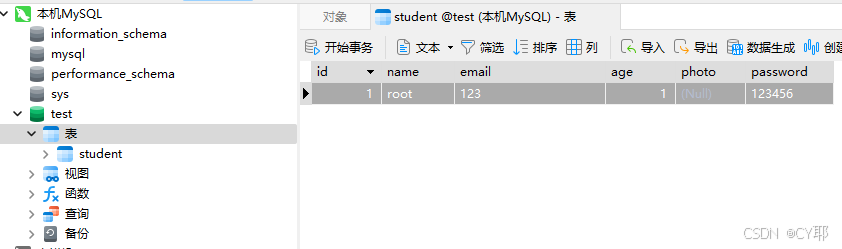
添加依赖(pom.xml)
在项目的pom.xml中添加
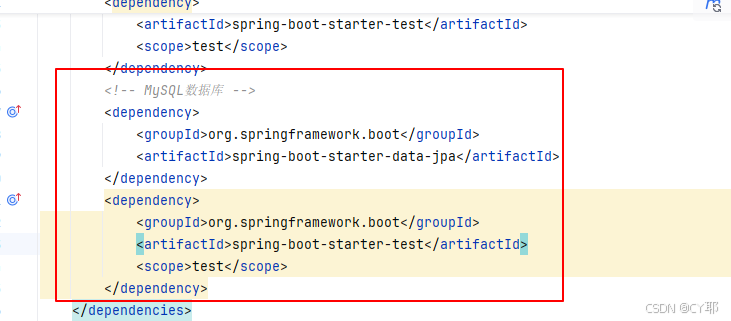
在标签<dependencies></dependencies>内添加
		<!-- MySQL数据库	-->
		<dependency>
			<groupId>org.springframework.boot</groupId>
			<artifactId>spring-boot-starter-data-jpa</artifactId>
		</dependency>
		<dependency>
			<groupId>com.mysql</groupId>
			<artifactId>mysql-connector-j</artifactId>
			<scope>runtime</scope>
		</dependency>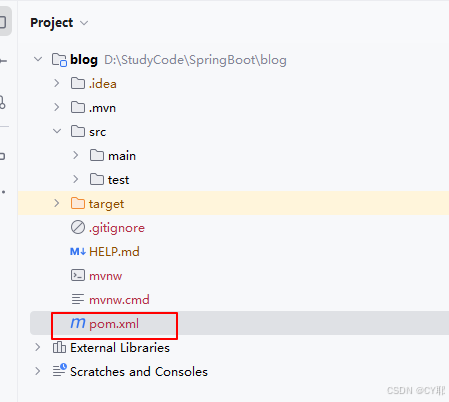
在这里插入图片描述
MySQL配置(application.properties)
# MySQL配置
spring.datasource.url=jdbc:mysql://localhost:3306/test?characterEncoding=utf8
spring.datasource.username=root
spring.datasource.password=123456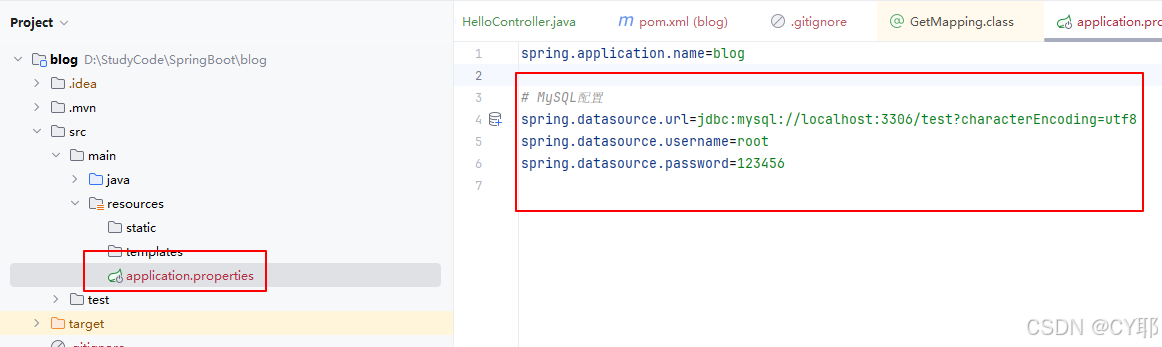
本文参与 腾讯云自媒体同步曝光计划,分享自作者个人站点/博客。
原始发表:2024-11-19,如有侵权请联系 cloudcommunity@tencent.com 删除
评论
登录后参与评论
推荐阅读
目录
腾讯云开发者

Copyright © 2013 - 2026 Tencent Cloud. All Rights Reserved. 腾讯云 版权所有
深圳市腾讯计算机系统有限公司 ICP备案/许可证号:粤B2-20090059  粤公网安备44030502008569号
腾讯云计算(北京)有限责任公司 京ICP证150476号 | 京ICP备11018762号