Day6-学习笔记(2024年2月3日)
原创
Day6-学习笔记(2024年2月3日)
原创
用户10954357
发布于 2024-02-03 19:24:40
发布于 2024-02-03 19:24:40
学习R包
R包是多个函数的集合,具有详细的说明和示例,学习生信R语言必学的原因是丰富的图表和biocductor的各种生信分析R包,包的使用是一通百通的,以dplyr为例,讲解一下R包
一、安装和加载R包
1.镜像设置
options("repos" = c(CRAN="https://mirrors.tuna.tsinghua.edu.cn/CRAN/"))#对应清华源
options(BioC_mirror="https://mirrors.ustc.edu.cn/bioc/")#对应中科大源
2.安装R包
R包安装命令是install.packages(“包”)或者BiocManager::install(“包”)。取决于你要安装的包存在于CRAN网站还是Biocductor,存在于哪里?可以谷歌搜到。
3.加载R包
library()和require(),两个函数均可。
使用一个包,是需要先安装再加载,才能使用包里的函数。
安装加载三部曲
options("repos" = c(CRAN="https://mirrors.tuna.tsinghua.edu.cn/CRAN/"))
options(BioC_mirror="https://mirrors.ustc.edu.cn/bioc/")
install.packages("dplyr")
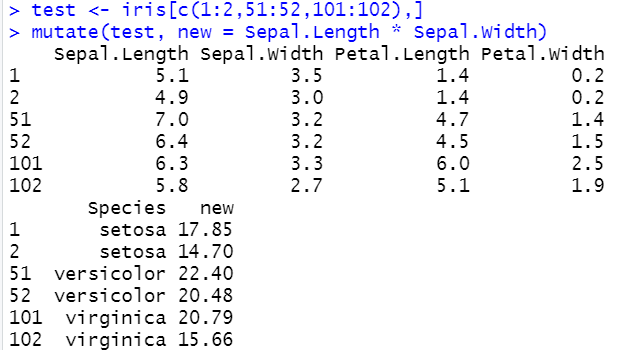
library(dplyr)示例数据直接使用内置数据集iris的简化版:test <- iris[c(1:2,51:52,101:102),]
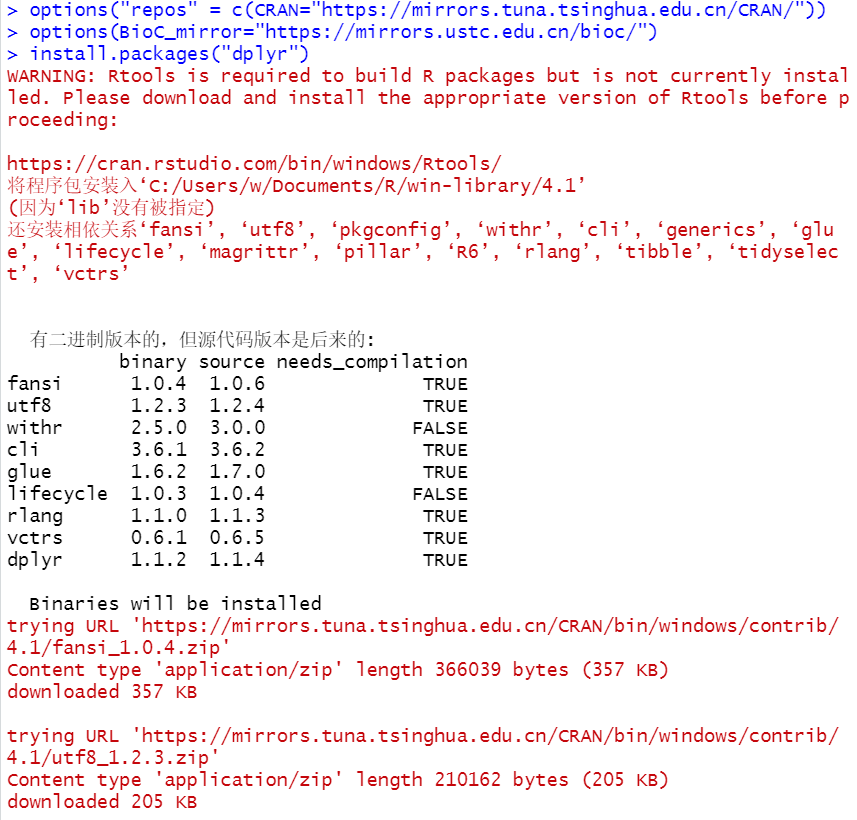
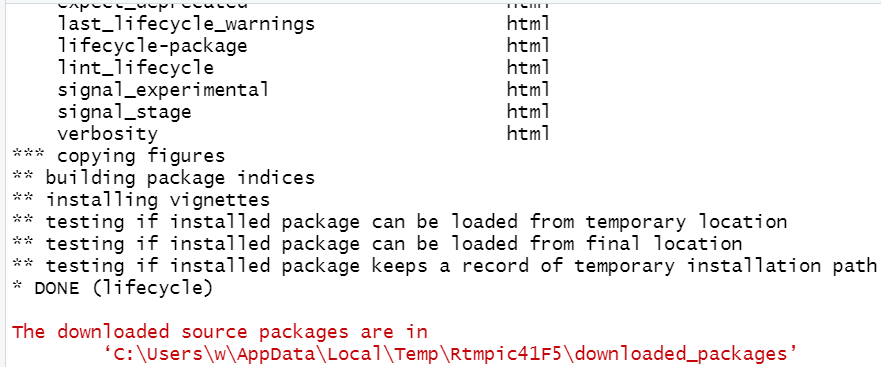
安装完成
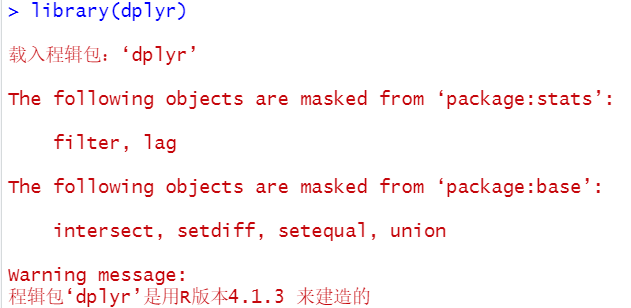
载入R包
二、dplyr五个基础函数
1.mutate(),新增列
mutate(test, new = Sepal.Length * Sepal.Width)
2.select(),按列筛选
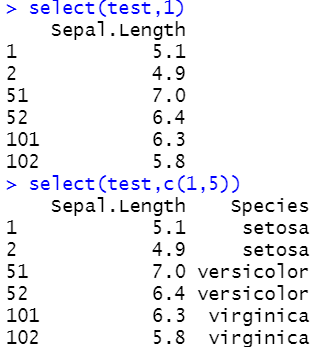
(1)按列号筛选
select(test,1)
select(test,c(1,5))
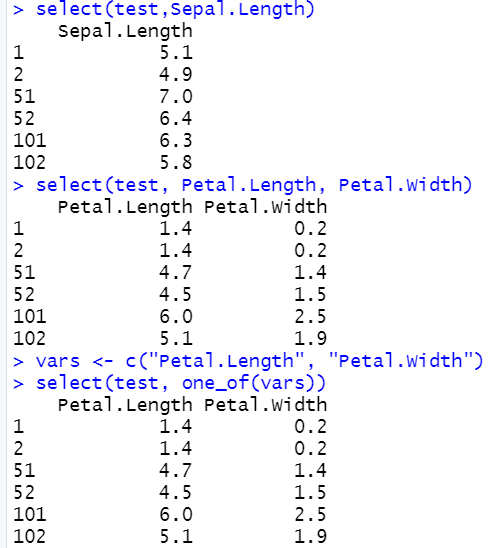
(2)按列名筛选
select(test,Sepal.Length)
select(test, Petal.Length, Petal.Width)
vars <- c("Petal.Length", "Petal.Width")select(test, one_of(vars))
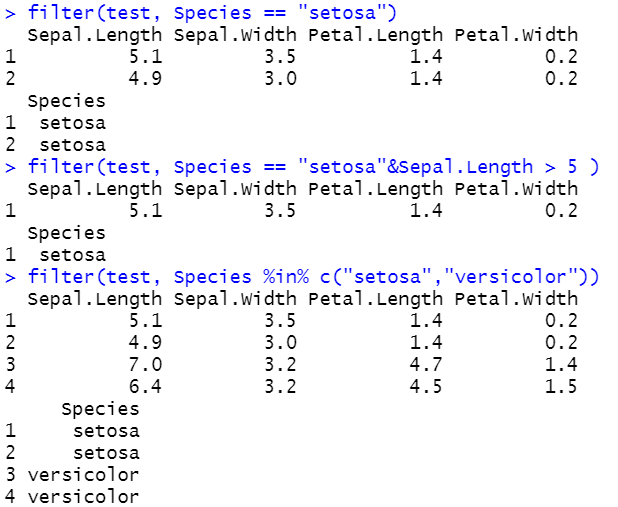
3.filter()筛选行
filter(test, Species == "setosa")
filter(test, Species == "setosa"&Sepal.Length > 5 )
filter(test, Species %in% c("setosa","versicolor"))
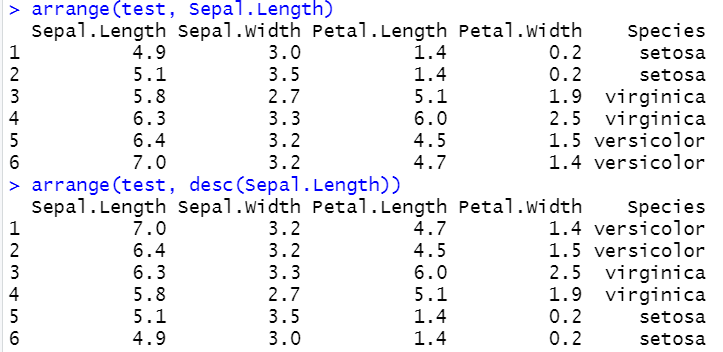
4.arrange(),按某1列或某几列对整个表格进行排序
arrange(test, Sepal.Length)#默认从小到大排序
arrange(test, desc(Sepal.Length))#用desc从大到小
5.summarise():汇总,(对数据进行汇总操作,结合group_by使用实用性强)
summarise(test, mean(Sepal.Length), sd(Sepal.Length))#计算Sepal.Length的平均值和标准差

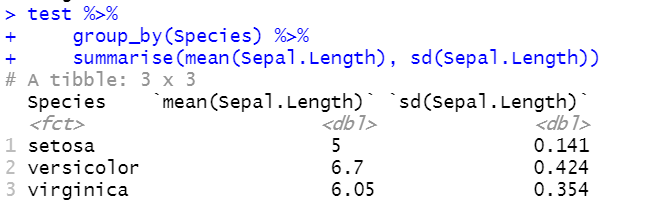
先按照Species分组,计算每组Sepal.Length的平均值和标准差
group_by(test, Species)
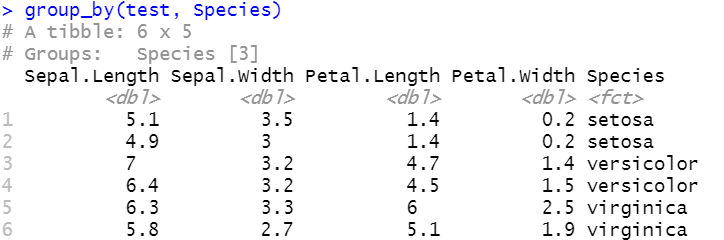
summarise(group_by(test, Species),mean(Sepal.Length), sd(Sepal.Length))

三、dplyr两个实用技能
1.管道操作 %>% (cmd/ctr + shift + M)
test %>% group_by(Species) %>% summarise(mean(Sepal.Length), sd(Sepal.Length))
(加载任意一个tidyverse包即可用管道符号)
2.count统计某列的unique值
count(test,Species)

四、dplyr处理关系数据
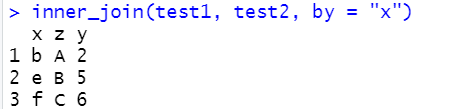
将2个表进行连接:
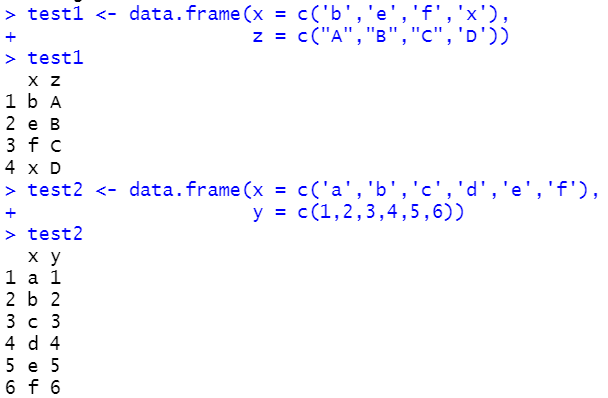
1.內连inner_join,取交集
2.左/右连left/right_join
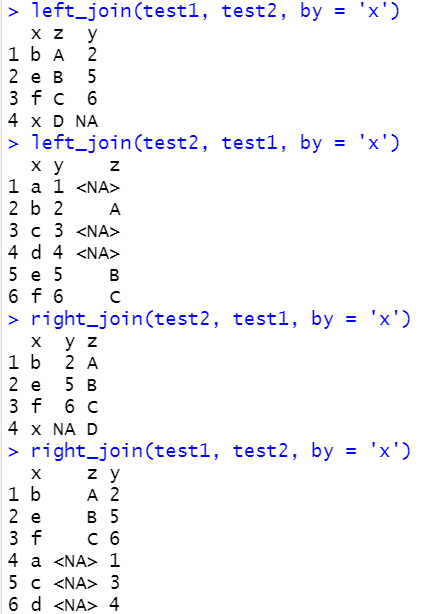
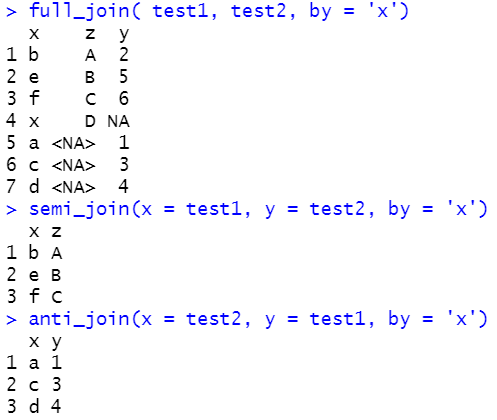
3.全连full_join
4.半连接:返回能够与y表匹配的x表所有记录semi_join
5.反连接:返回无法与y表匹配的x表的所记录anti_join
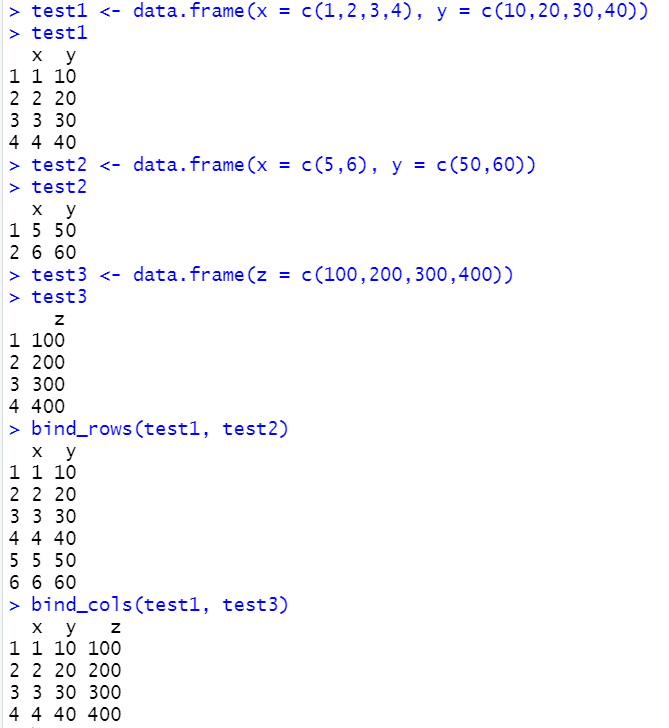
6.简单合并
在相当于base包里的cbind()函数和rbind()函数;注意,bind_rows()函数需要两个表格列数相同,而bind_cols()函数则需要两个数据框有相同的行数
原创声明:本文系作者授权腾讯云开发者社区发表,未经许可,不得转载。
如有侵权,请联系 cloudcommunity@tencent.com 删除。
原创声明:本文系作者授权腾讯云开发者社区发表,未经许可,不得转载。
如有侵权,请联系 cloudcommunity@tencent.com 删除。
评论
登录后参与评论
推荐阅读
目录
腾讯云开发者

Copyright © 2013 - 2026 Tencent Cloud. All Rights Reserved. 腾讯云 版权所有
深圳市腾讯计算机系统有限公司 ICP备案/许可证号:粤B2-20090059  粤公网安备44030502008569号
腾讯云计算(北京)有限责任公司 京ICP证150476号 | 京ICP备11018762号