生信星球学习小组Day6-云朵
原创

今天学习的主题是R包,内容多多。。
1. 安装和加载R包
1.1.镜像设置
#是为了加快R包的安装下载速度,要用到R的配置文件.Rprofile
首先用file.edit()来编辑文件:file.edit('~/.Rprofile')
然后在其中添加好下面的两行options代码
options("repos" = c(CRAN="https://mirrors.tuna.tsinghua.edu.cn/CRAN/"))
options(BioC_mirror="https://mirrors.ustc.edu.cn/bioc/")
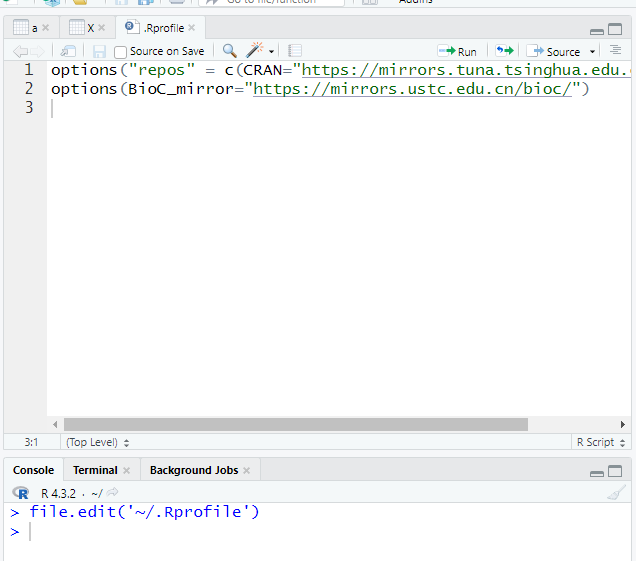
保存后重启Rstudio,再运行下面两行代码:
options()$repos
options()$BioC_mirror
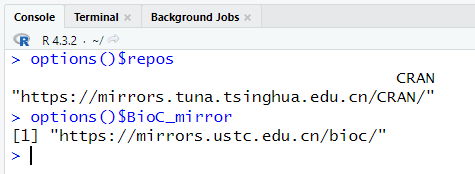
1.2.安装
options("repos" = c(CRAN="https://mirrors.tuna.tsinghua.edu.cn/CRAN/"))
options(BioC_mirror="https://mirrors.ustc.edu.cn/bioc/")
1.3 加载
install.packages("dplyr")
示例数据 test <- iris[c(1:2,51:52,101:102),]
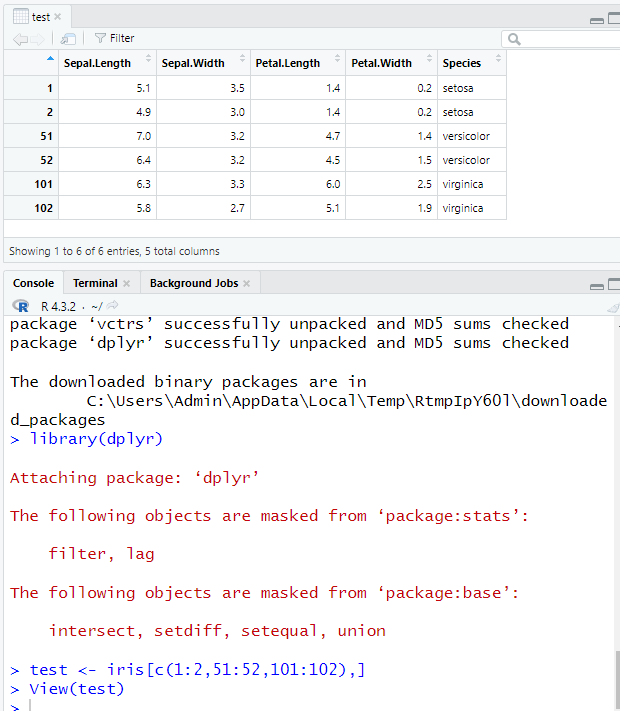
2. dplyr五个基础函数
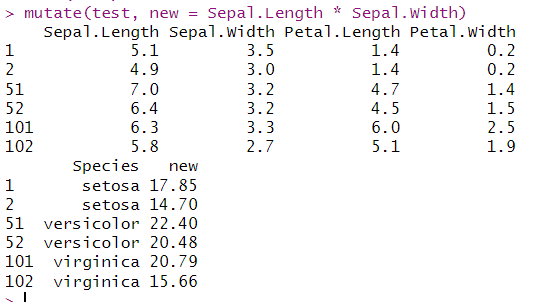
2.1.mutate(),新增列
mutate(test, new = Sepal.Length * Sepal.Width)
2.2.select(),按列筛选
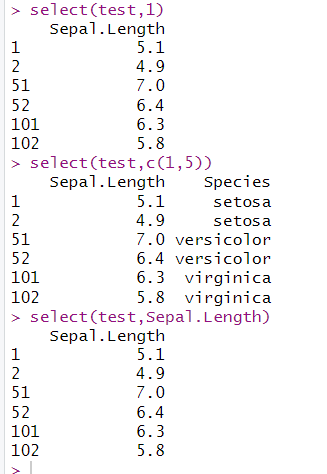
(1)按列号筛选
select(test,1)#筛选第1列内容
select(test,c(1,5))
select(test,Sepal.Length)#筛选列名为Sepal.Length的数据
(2)按列名筛选
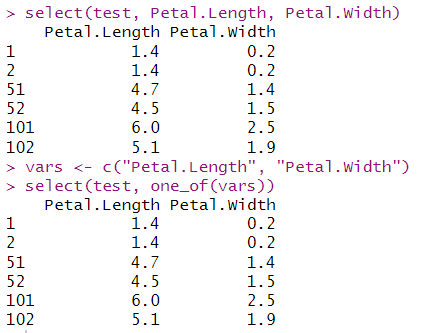
select(test, Petal.Length, Petal.Width)
vars <- c("Petal.Length", "Petal.Width")#把"Petal.Length", "Petal.Width"数据命名为"vars"
select(test, one_of(vars))
2.3.filter()筛选行
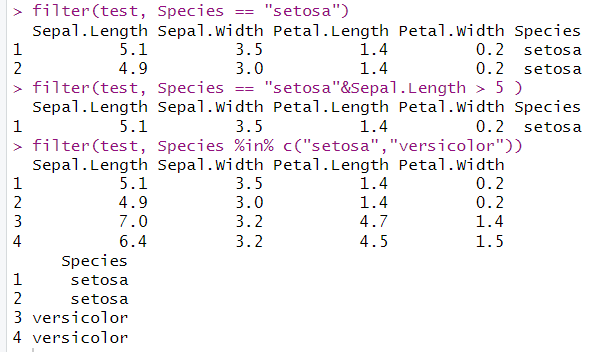
filter(test, Species == "setosa")
filter(test, Species == "setosa"&Sepal.Length > 5 )
filter(test, Species %in% c("setosa","versicolor"))
2.4.arrange(),按某1列或某几列对整个表格进行排序
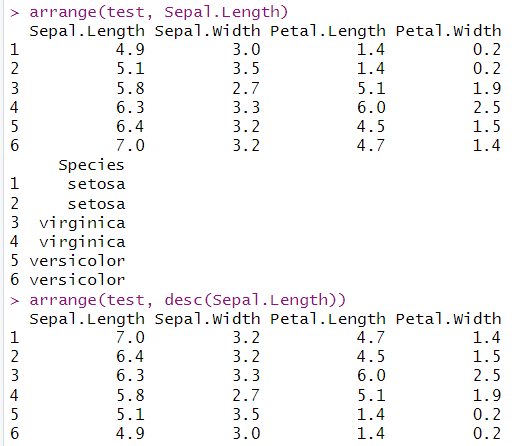
arrange(test, Sepal.Length)#默认从小到大排序
arrange(test, desc(Sepal.Length))#用desc从大到小
2.5.summarise():汇总, 结合group_by使用
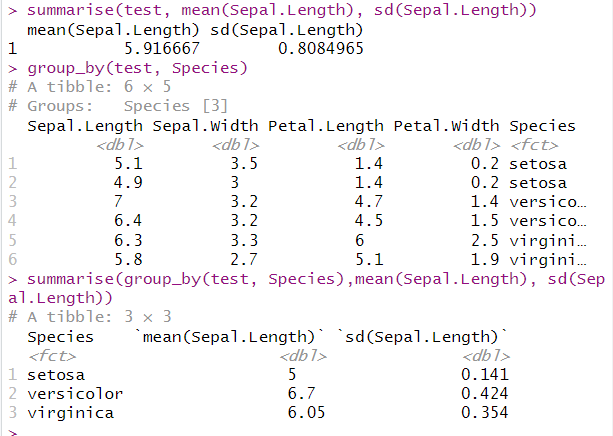
summarise(test, mean(Sepal.Length), sd(Sepal.Length))# 先按照Species分组,计算Sepal.Length的平均值和标准差
group_by(test, Species)
summarise(group_by(test, Species),mean(Sepal.Length), sd(Sepal.Length))
3. dplyr两个实用技能
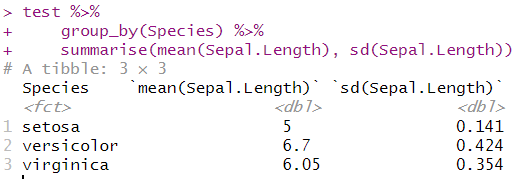
3.1 管道操作 %>% (cmd/ctr + shift + M)
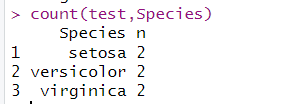
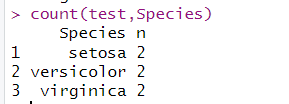
3.2 count统计某列的unique值
count(test,Species)
4. dplyr处理关系数据
#将2个表进行连接
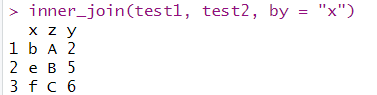
4.1.內连inner_join,取交集
inner_join(test1, test2, by = "x")
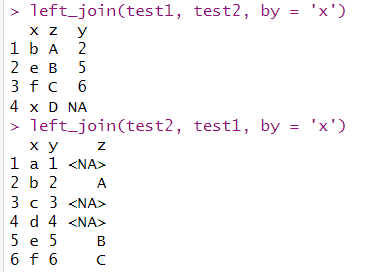
4.2.左连left_join
left_join(test1, test2, by = 'x')#以test1的x列为列,取交集
left_join(test2, test1, by = 'x')#以test2的x列为列,取交集
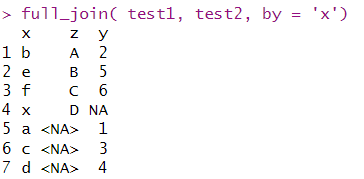
4.3.全连full_join
full_join( test1, test2, by = 'x')#将test1和test2的x列合并为列
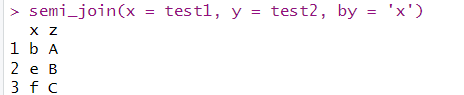
4.4.半连接:返回能够与y表匹配的x表所有记录semi_join
semi_join(x = test1, y = test2, by = 'x')
4.5.反连接:返回无法与y表匹配的x表的所记录anti_join
anti_join(x = test2, y = test1, by = 'x')
4.6.简单合并
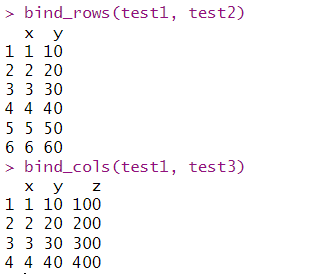
bind_rows()函数需要两个表格列数相同,而bind_cols()函数则需要两个数据框有相同的行数
bind_rows(test1, test2)
bind_cols(test1, test3)
原创声明:本文系作者授权腾讯云开发者社区发表,未经许可,不得转载。
如有侵权,请联系 cloudcommunity@tencent.com 删除。
目录
腾讯云开发者

Copyright © 2013 - 2026 Tencent Cloud. All Rights Reserved. 腾讯云 版权所有
深圳市腾讯计算机系统有限公司 ICP备案/许可证号:粤B2-20090059  粤公网安备44030502008569号
腾讯云计算(北京)有限责任公司 京ICP证150476号 | 京ICP备11018762号