微信小程序-常用弹窗


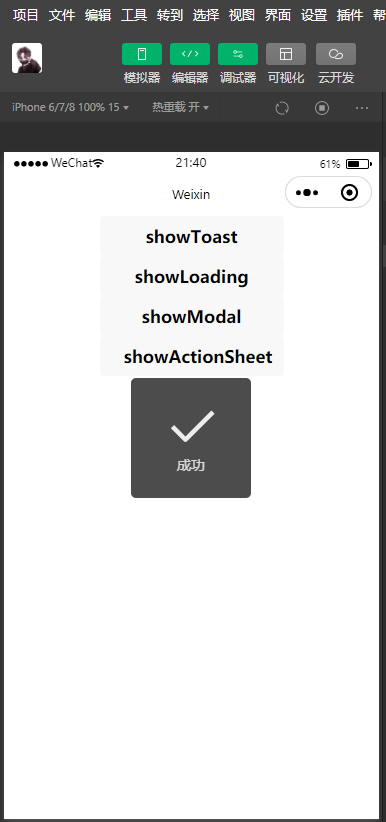
showToast
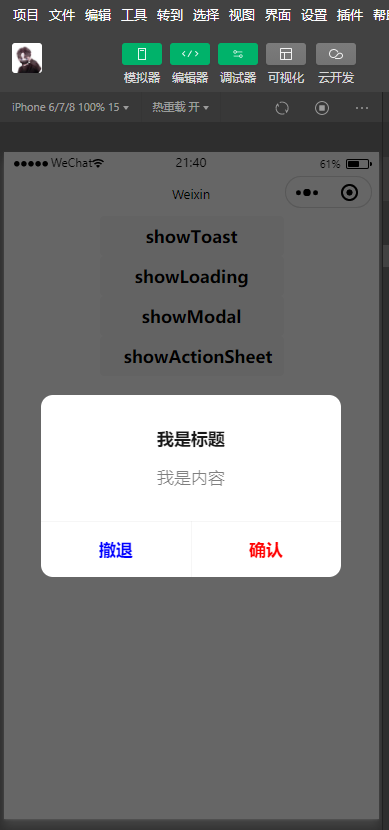
showModal
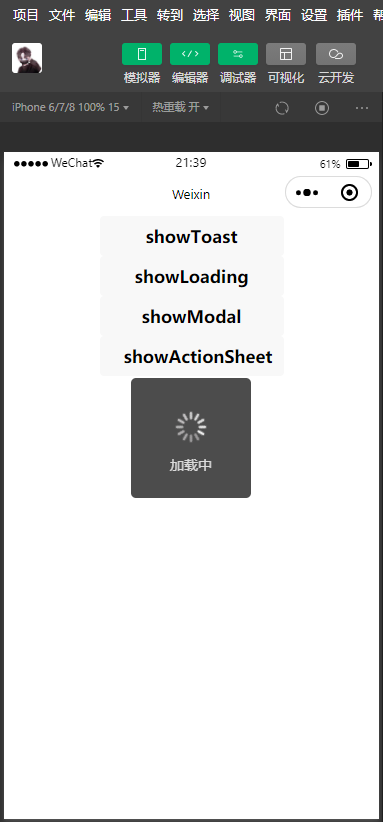
showLoading
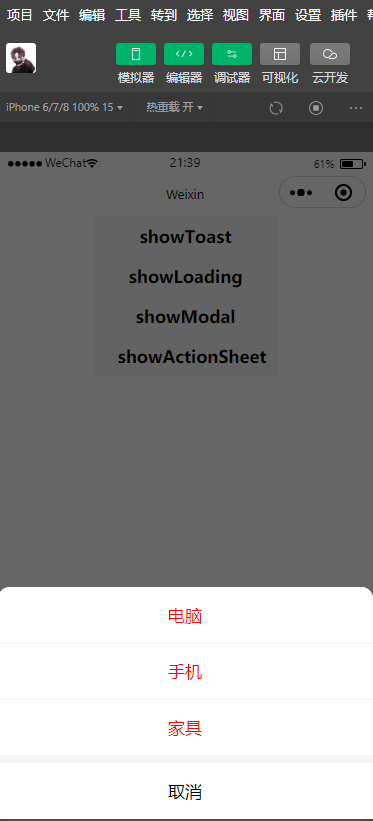
showActionSheet
页面结构文件:
<!--index.wxml-->
<button bindtap="onShowToast">showToast</button>
<button bindtap="onShowLoading">showLoading</button>
<button bindtap="onShowModal">showModal</button>
<button bindtap="onShowActionSheet">showActionSheet</button>
JS 逻辑文件:
// index.js
Page({
  onShowToast() {
    wx.showToast({
      title: '成功',
      icon: "success",
      duration: 3000,
      mask: true,
      success() {
        console.log("显示成功");
      },
      fail() {
        console.log("显示失败");
      },
      complete() {
        console.log("complete");
      }
    })
  },
  onShowLoading() {
    wx.showLoading({
      title: '加载中',
    })

    // 注意点:不会主动消失,其它的和showToast差不多
    setTimeout(function () {
      wx.hideLoading()
    }, 2000)
  },
  onShowModal() {
    wx.showModal({
      title: '我是标题',
      content: '我是内容',
      cancelText: "撤退",
      cancelColor: "#00f",
      confirmText: "确认",
      confirmColor: "#f00",
      complete: (res) => {
        if (res.cancel) {
          console.log('点击了取消按钮');
        }

        if (res.confirm) {
          console.log('点击了确认按钮');
        }
      }
    })
  },
  onShowActionSheet() {
    wx.showActionSheet({
      itemList: ["电脑", "手机", "家具"],
      itemColor: '#f00',
      success (res) {
        console.log(res.tapIndex)
      },
      fail (res) {
        console.log(res.errMsg)
        console.log("点击了取消");
      }
    })
  }
})
本文参与 腾讯云自媒体同步曝光计划,分享自作者个人站点/博客。
原始发表:2023-05-21 ,如有侵权请联系 cloudcommunity@tencent.com 删除
目录
腾讯云开发者

Copyright © 2013 - 2026 Tencent Cloud. All Rights Reserved. 腾讯云 版权所有
深圳市腾讯计算机系统有限公司 ICP备案/许可证号:粤B2-20090059  粤公网安备44030502008569号
腾讯云计算(北京)有限责任公司 京ICP证150476号 | 京ICP备11018762号