【错误记录】Android Studio 编译报错 ( Could not resolve com.android.tools.build:gradle:7.4.2. )

【错误记录】Android Studio 编译报错 ( Could not resolve com.android.tools.build:gradle:7.4.2. )

韩曙亮
发布于 2023-04-09 10:00:29
发布于 2023-04-09 10:00:29
文章目录
一、报错信息
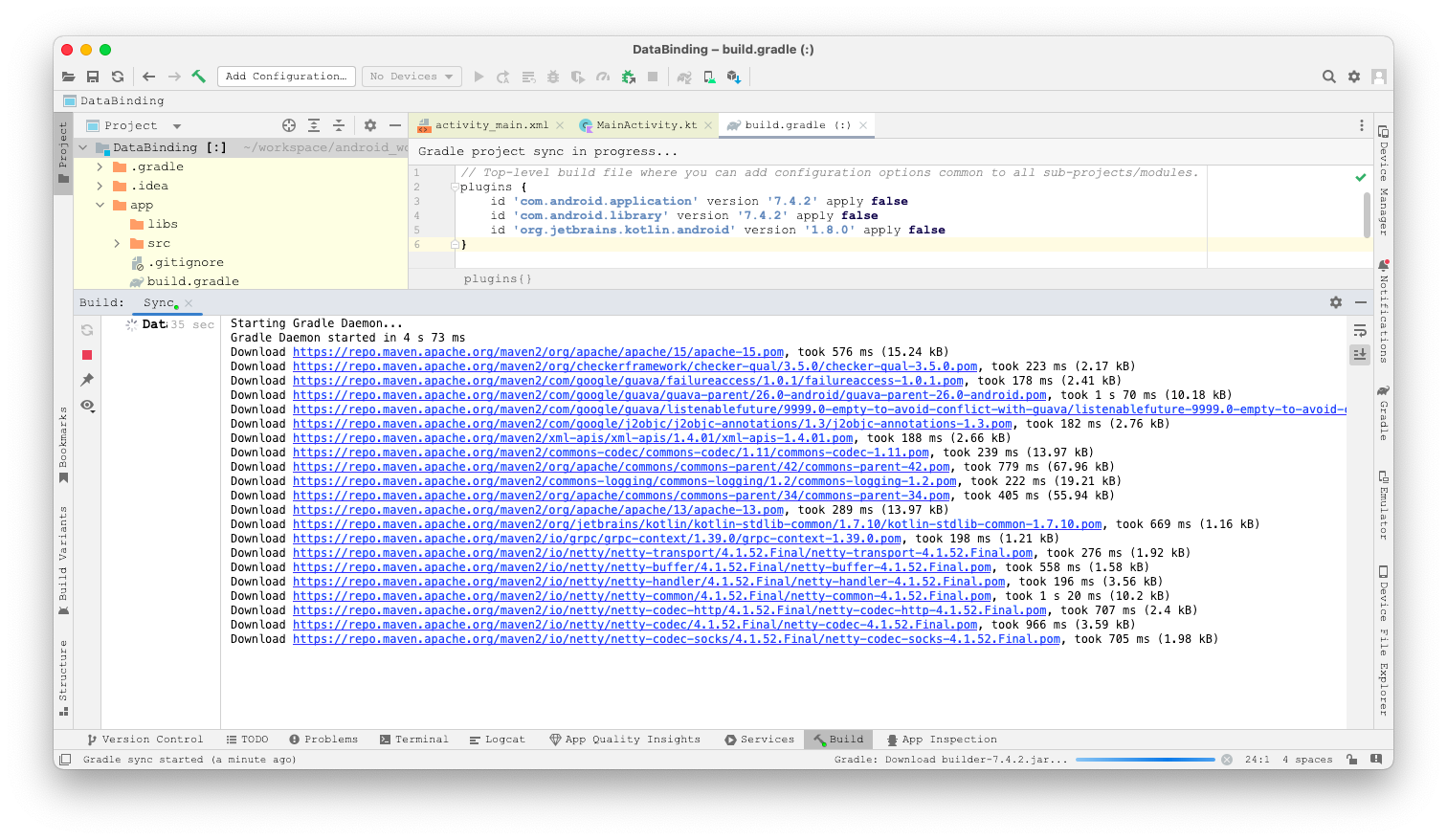
在 Mac 中安装了 Android Studio , 首次创建应用运行时 , 报如下错误 :
A problem occurred configuring root project 'DataBinding'.
> Could not resolve all files for configuration ':classpath'.
   > Could not resolve com.android.tools.build:gradle:7.4.2.
     Required by:
         project : > com.android.application:com.android.application.gradle.plugin:7.4.2
         project : > com.android.library:com.android.library.gradle.plugin:7.4.2
      > No matching variant of com.android.tools.build:gradle:7.4.2 was found. The consumer was configured to find a runtime of a library compatible with Java 8, packaged as a jar, and its dependencies declared externally, as well as attribute 'org.gradle.plugin.api-version' with value '7.5' but:
          - Variant 'apiElements' capability com.android.tools.build:gradle:7.4.2 declares a library, packaged as a jar, and its dependencies declared externally:
              - Incompatible because this component declares an API of a component compatible with Java 11 and the consumer needed a runtime of a component compatible with Java 8
              - Other compatible attribute:
                  - Doesn't say anything about org.gradle.plugin.api-version (required '7.5')
          - Variant 'javadocElements' capability com.android.tools.build:gradle:7.4.2 declares a runtime of a component, and its dependencies declared externally:
              - Incompatible because this component declares documentation and the consumer needed a library
              - Other compatible attributes:
                  - Doesn't say anything about its target Java version (required compatibility with Java 8)
                  - Doesn't say anything about its elements (required them packaged as a jar)
                  - Doesn't say anything about org.gradle.plugin.api-version (required '7.5')
          - Variant 'runtimeElements' capability com.android.tools.build:gradle:7.4.2 declares a runtime of a library, packaged as a jar, and its dependencies declared externally:
              - Incompatible because this component declares a component compatible with Java 11 and the consumer needed a component compatible with Java 8
              - Other compatible attribute:
                  - Doesn't say anything about org.gradle.plugin.api-version (required '7.5')
          - Variant 'sourcesElements' capability com.android.tools.build:gradle:7.4.2 declares a runtime of a component, and its dependencies declared externally:
              - Incompatible because this component declares documentation and the consumer needed a library
              - Other compatible attributes:
                  - Doesn't say anything about its target Java version (required compatibility with Java 8)
                  - Doesn't say anything about its elements (required them packaged as a jar)
                  - Doesn't say anything about org.gradle.plugin.api-version (required '7.5')

* Try:
> Run with --info or --debug option to get more log output.
> Run with --scan to get full insights.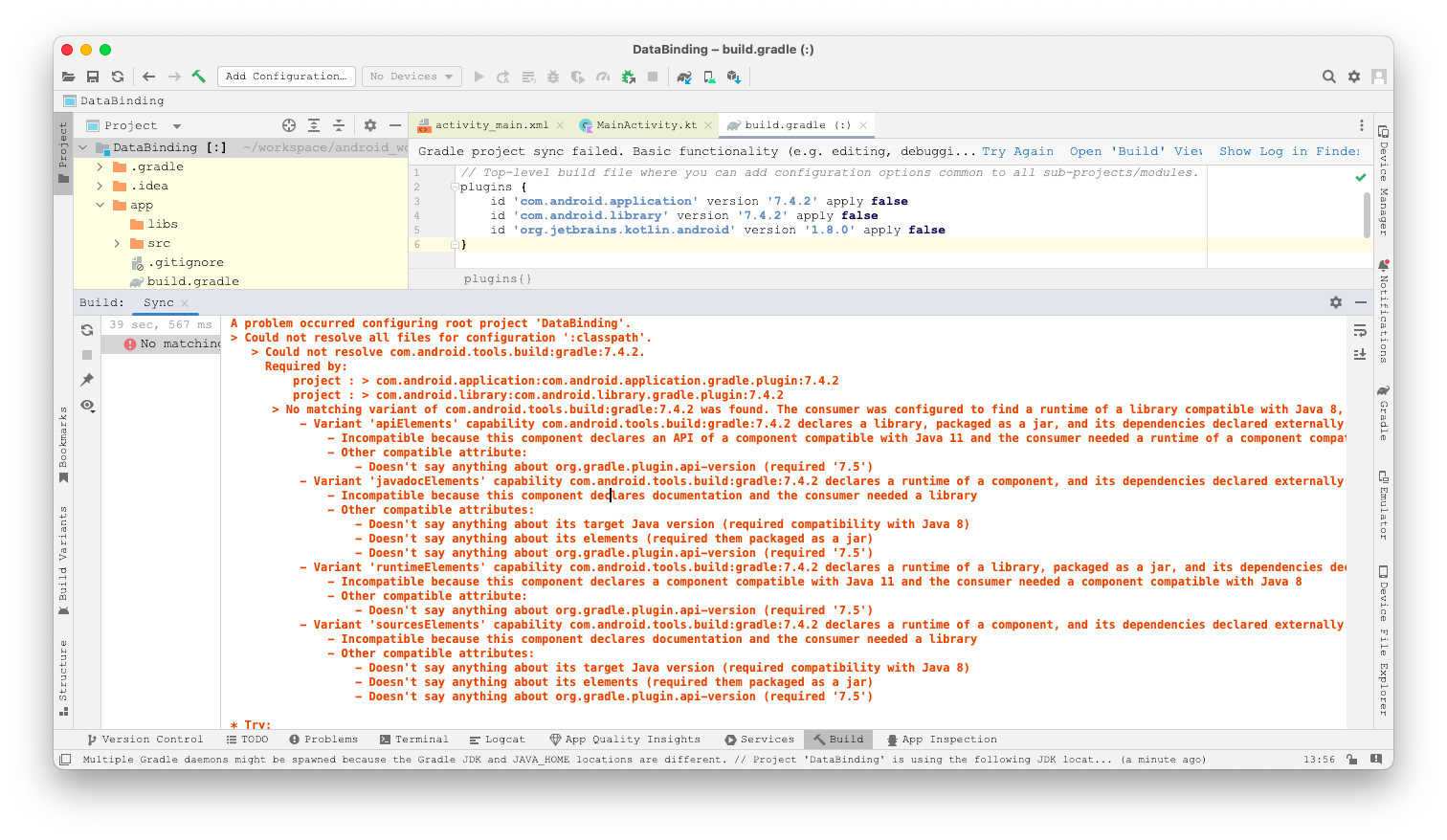
二、解决方案
报错信息中有提示 : Doesn’t say anything about its target Java version (required compatibility with Java 8)
A problem occurred configuring root project ‘DataBinding’. Could not resolve all files for configuration ‘:classpath’. Could not resolve com.android.tools.build:gradle:7.4.2. Required by: project : > com.android.application:com.android.application.gradle.plugin:7.4.2 project : > com.android.library:com.android.library.gradle.plugin:7.4.2
说明该错误与 JDK 版本相关 , 当前使用的是最新版的 Android Studio , 这里将 JDK 更新成 JDK11 ;
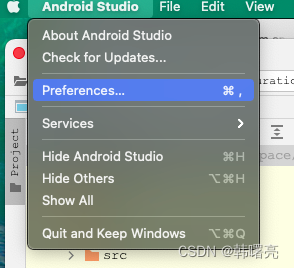
查看当前的 JDK 版本 , 选择 " 菜单栏 / Android Studio / Preferences … " 选项 ,
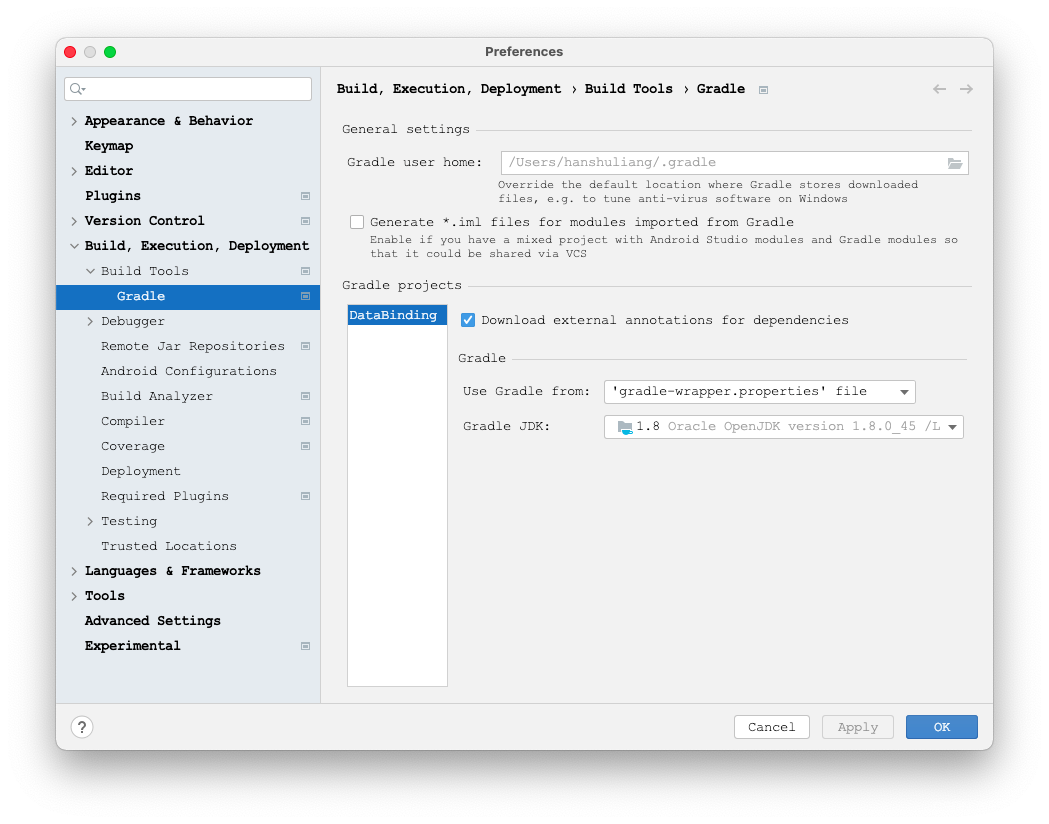
在 Gradle 配置中 , 可以查看 JDK 版本 , 发现此处配置的 JDK 版本是 JDK8 ;
在 Gradle JDK 选项中 , 选择 JDK 11 选项 ;
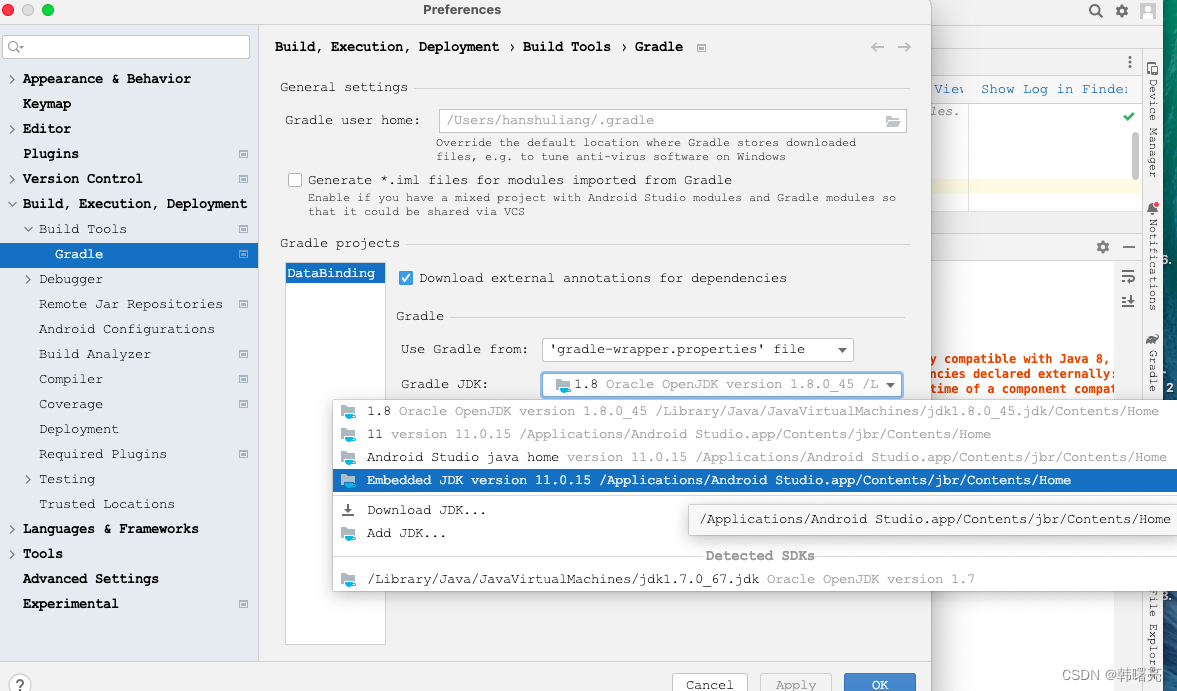
设置完毕后 , 重新编译应用 , 编译通过 ;
本文参与 腾讯云自媒体同步曝光计划,分享自作者个人站点/博客。
原始发表:2023-04-08,如有侵权请联系 cloudcommunity@tencent.com 删除
评论
登录后参与评论
推荐阅读
目录
腾讯云开发者

Copyright © 2013 - 2026 Tencent Cloud. All Rights Reserved. 腾讯云 版权所有
深圳市腾讯计算机系统有限公司 ICP备案/许可证号:粤B2-20090059  粤公网安备44030502008569号
腾讯云计算(北京)有限责任公司 京ICP证150476号 | 京ICP备11018762号