【1】Anaconda安装超简洁教程,配置环境、创建虚拟环境、添加镜像源

【1】Anaconda安装超简洁教程,配置环境、创建虚拟环境、添加镜像源

汀丶人工智能
发布于 2022-12-21 13:55:40
发布于 2022-12-21 13:55:40
1.Anacond下载安装
【一台电脑里可以装多个anaconda的】
官网网址:https://www.anaconda.com/
镜像网址:https://mirror.tuna.tsinghua.edu.cn/help/anaconda/

看好版本好,安装3.x python版本为佳,毕竟2.7版本用的人很少了。
安装
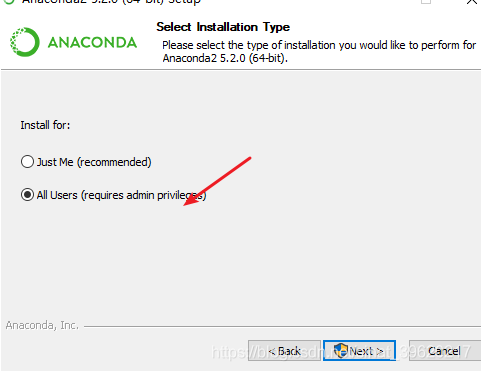
双击下载好的 Anaconda-Windows-x86_64.exe文件,出现如下界面,点击 Next 即可。下面是两个关键步骤,记得添加路径!然后一直next就行!
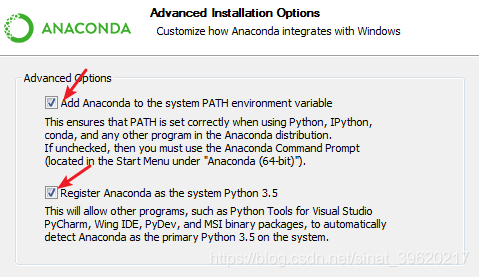
2.配置环境变量
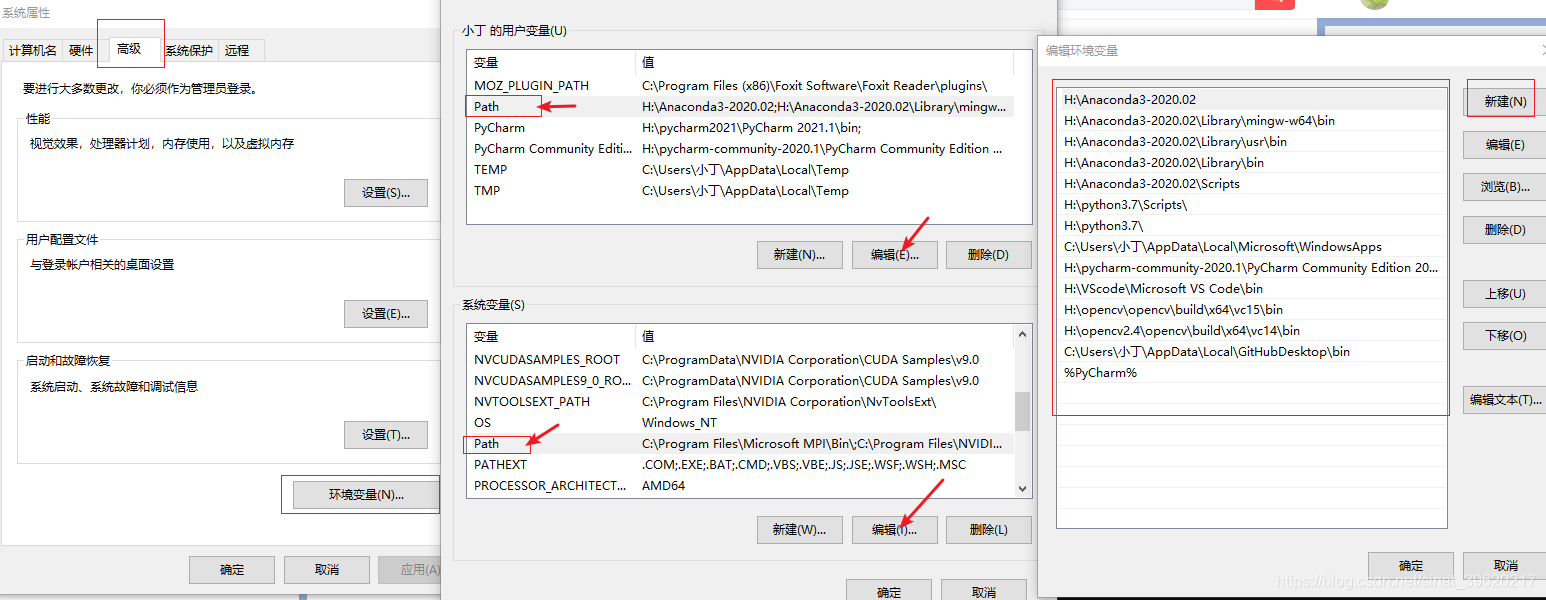
路径:(右击我的电脑---属性---也行)\控制面板\系统和安全\系统高级系统设置\环境变量\用户变量\PATH 中添加 anaconda的安装目录的Scripts文件夹,总之都可以添加一下!
打开命令面板 输入 conda --version
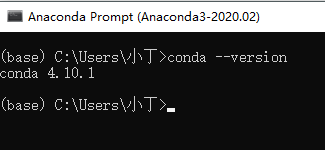
安装成功。
3.创建虚拟环境
创建环境xxx可自己输入
conda create -n xxx激活环境
conda activate xxx切换环境,切换列表
conda env list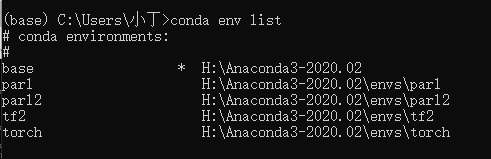
4.删除环境
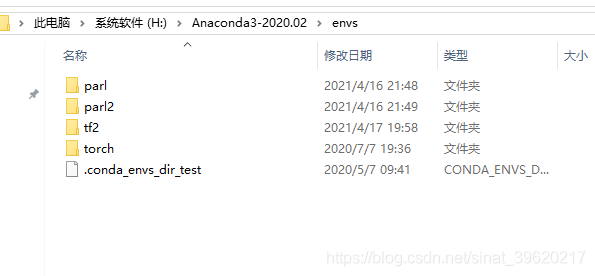
conda remove -n xxx --all或者直接到安装路径下envs删除就行
5.添加镜像源
显示原来的镜像源
conda config --showchannels:
- https://pypi.doubanio.com/simple/
- defaults添加新镜像源
清华镜像
conda config --add channels https://mirrors.tuna.tsinghua.edu.cn/anaconda/pkgs/free/
#阿里
conda config --add channels https://mirrors.aliyun.com/pypi/simple/
#中国科技大学
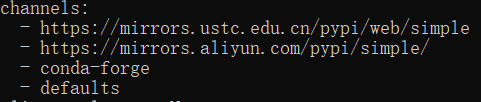
conda config --add channels https://mirrors.ustc.edu.cn/pypi/web/simple
显示如下:
移除镜像源:
conda config --remove channels https://mirrors.tuna.tsinghua.edu.cn/anaconda/pkgs/free/本文参与 腾讯云自媒体同步曝光计划,分享自作者个人站点/博客。
原始发表:2021-04-19,如有侵权请联系 cloudcommunity@tencent.com 删除
评论
登录后参与评论
推荐阅读
目录
腾讯云开发者

Copyright © 2013 - 2026 Tencent Cloud. All Rights Reserved. 腾讯云 版权所有
深圳市腾讯计算机系统有限公司 ICP备案/许可证号:粤B2-20090059  粤公网安备44030502008569号
腾讯云计算(北京)有限责任公司 京ICP证150476号 | 京ICP备11018762号